For trading companies
Warehouse, agents, and office sales — one set of numbers.
You sell in the region. Some orders come from the road, some from the desk, some from the marketplace team. ZuloOne is the place where stock, customer debt, and money meet — so the warehouse and sales are not arguing from two spreadsheets.
A real company already filled in. Yours for 24 hours. No card, no call.
Who this is for
Companies that buy, keep stock, and sell — from a warehouse, from the road, from a desk.
Excel, a chat with photos of invoices, and a warehouse notebook do not add up. Here the same quantity, the same customer, and the same debt are on one screen.
A regional dealer
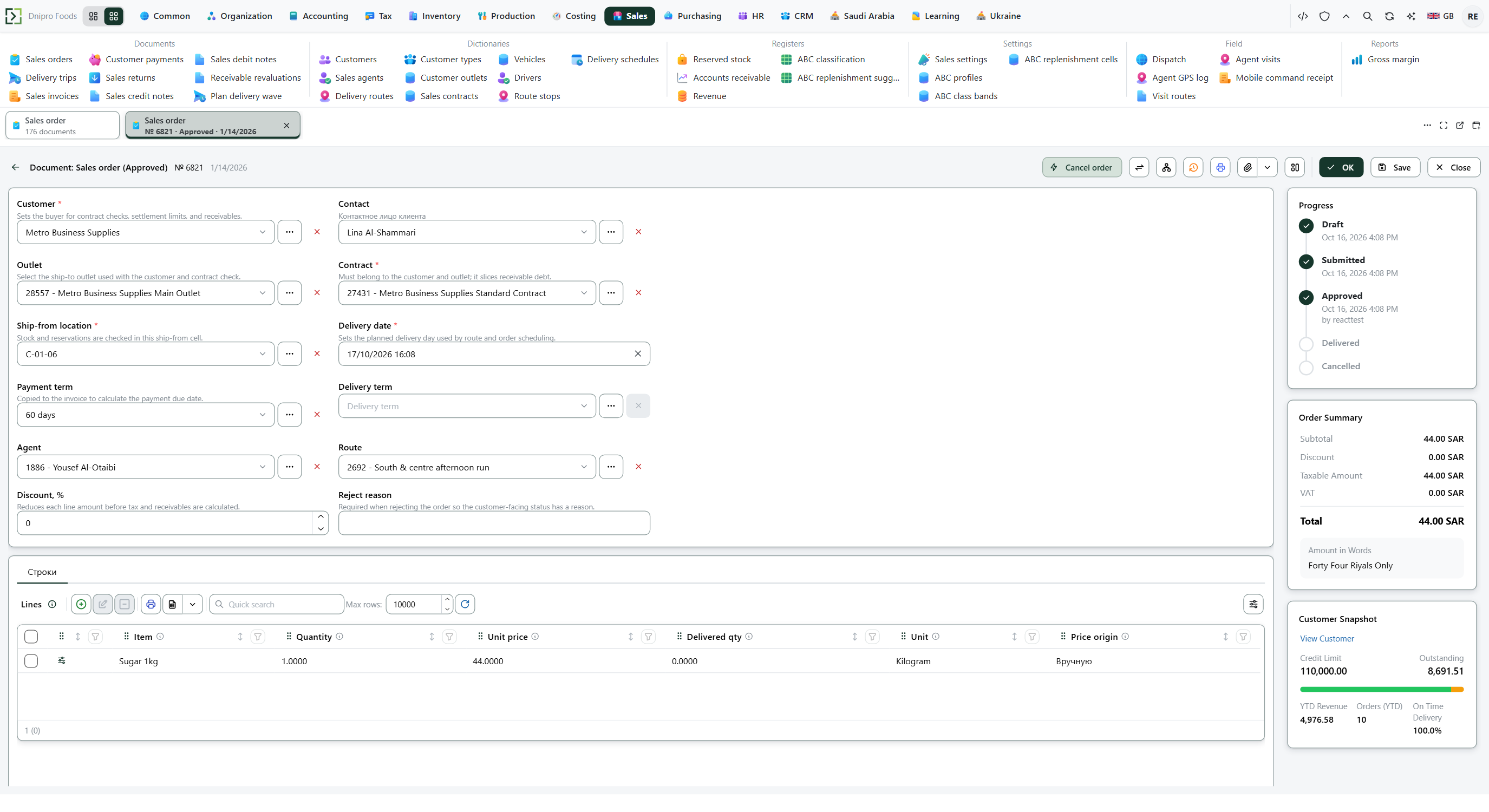
A warehouse, agents on visits, people at the desk, and a marketplace team. All of them write into the same order list — not into three chats.
A wholesaler
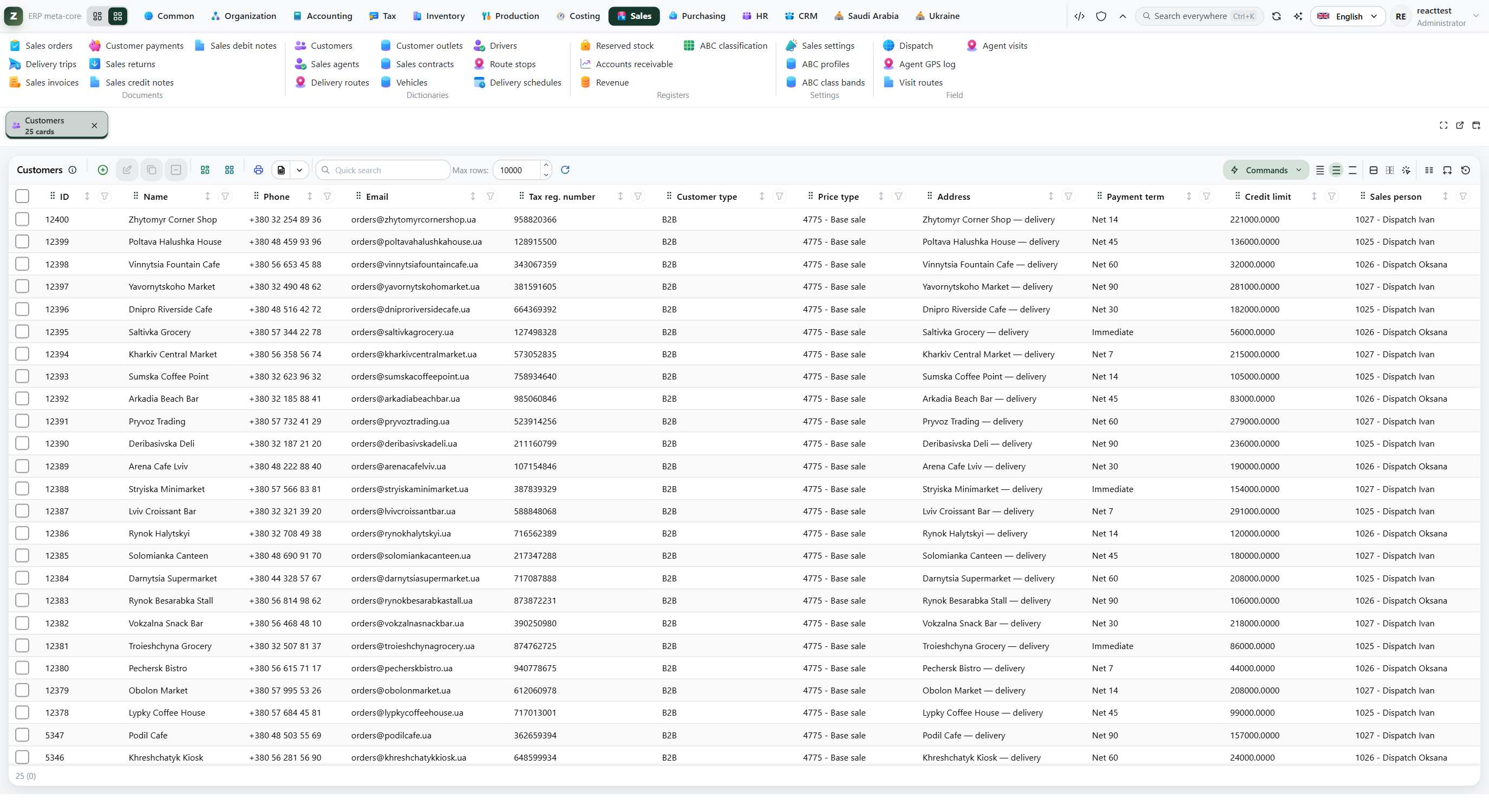
Many items, more than one warehouse, shops that take goods on credit. You see what is on the shelf and who still owes you.
Import and supply
Order from the supplier, goods into the warehouse, sell onward. Buying and selling do not live in two different files.
You make what you sell
Materials go into the shop floor, finished goods land in the warehouse — on the same item the customer then buys.
A warehouse and a few shops
Move stock between sites. See the leftover in each one. An order from the road or the desk hits the right cell.
The owner still in Excel
Invoices in a chat, a warehouse notebook, a separate sheet of debts. That is one screen here — not three places to reconcile at night.
What you get
Not another program to learn. The numbers the business already argues about — in one place.
One stock figure
Sales, the warehouse, and the agent look at the same quantity. Nobody asks “how many do we really have?”.
The road writes into the warehouse
The agent takes the order on the visit — the office sees it, the warehouse puts it in the pick queue. Not a photo in a messenger.
Who owes what
You shipped — the customer owes. Goods arrived from the supplier — you owe. A payment closes that debt, not a cell in a spreadsheet.
Tax on the same papers
VAT is not a parallel folder. Ukraine and Saudi rules sit on the same documents the warehouse already used.
Buying and making sit next to sales
A purchase order, a receipt, a recipe, a production run. The same item then leaves to the customer.
Your company, not a row in someone else’s table
Your own database, your own backups. You leave — you take the data. A process that is not in the box is added as another document in the same office.
A day in the company
- 01
An order comes in
An agent on a visit, a manager at the desk, or the marketplace team. Same customer, same prices, same quantity on the shelf.
- 02
The warehouse ships it
Pick, issue, count. The quantity leaves the cell when it really leaves — not when someone remembered to update a file.
- 03
Money and tax follow
The customer owes what was shipped. A payment closes that debt. VAT sits on the same documents, not in a parallel folder.
Your company, your database
This is your office in the cloud — not a seat in someone else's table.
How the stand is builtEach company gets its own copy: own address, own database, own backups. Neighbours cannot see your customers. You can take the data with you if you leave.
Your company is separate
Not a row next to another firm. Your stock and your customers live in their own database.
Backups and a way out
A copy before every update. Encrypted on the way. You can export the data when you go.
Try it on Test, then go live
Lifecycle Portal is the desk: pack a change, install on Test, two people mark Ready, then Production. A pipeline may upload. A person still signs off. A bad platform update rolls back.
It can grow with you
If your process is not in the box, it can be added as another document in the same office — without buying a second program.
This is the actual office
Not a drawing. A live company: orders, customers, stock.
Three roles, one phone
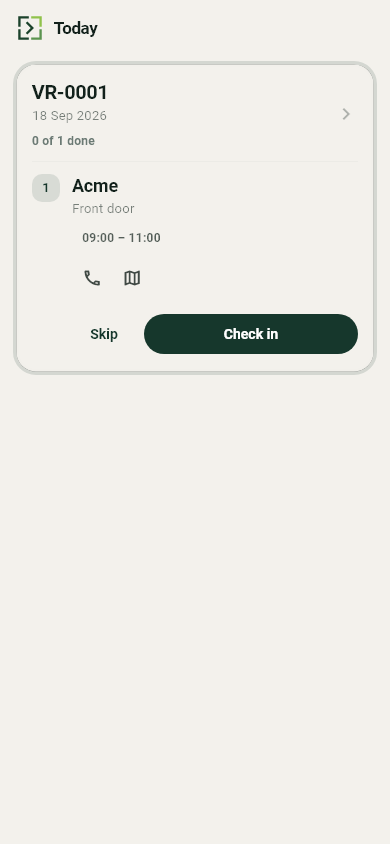
Agents do not wait until they are back at the office
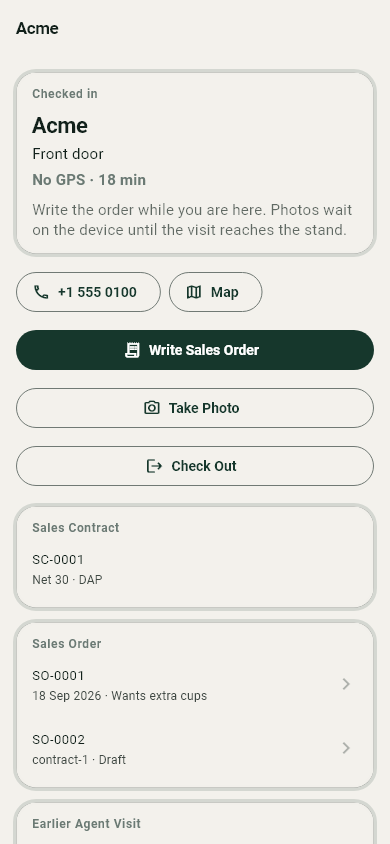
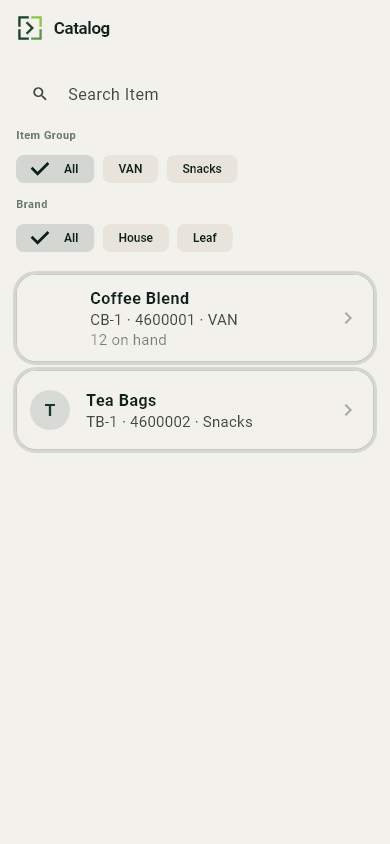
Get the app in the cabinetThe phone is the same system, not a second program. An order from the road is already in the warehouse queue.
Sales representative
Today's visits. Check-in at the customer. Write the order on the spot — the office and the warehouse already see it, and it prints the same PDF.
Warehouse
Scan a barcode to receive or pick. Count from the shelf. If there is no signal, the phone remembers and sends it when it can.
Owner or sales manager
Who is on which route, where they last checked in, and what they sold — next to today's numbers. Not a tracker on the side.
Back at the office you see every agent's route, last check-in, and today's orders on the same screen as sales — not a second login.
What is already in the box
- Sales: orders, shipments, returns, customer payments
- Warehouse: stock by cell, picking, put-away, counts, transfers
- Purchasing: orders to suppliers, receipts, supplier invoices, payments to vendors
- Production: recipes, shop-floor orders — materials out, finished goods in
- The road: visit routes, GPS check-in, orders from the phone
- Money: cash, bank, who owes you, whom you owe
- Tax and the books — from the same documents, including Ukraine and Saudi rules
- People and pay: timesheets, payroll, what you owe staff
- What the goods actually cost — so the margin is not a guess
- Before the order: leads and quotations
- One login for the office, the warehouse, and the road
Open it and click around
Twenty-four hours. A filled-in company. See an order, a warehouse cell, and an agent's route.