Check an e-invoice envelope
Updated
Open the tax document that a country package created for a posted invoice, credit note, or debit note, and read whether it is issued, cleared, reported, or rejected.
Note
You do not send from this card. The country package creates the envelope when the source document is posted. There is no send or resend button on Tax documents.
How to#
To check an envelope, open Ribbon → Tax → Documents → Tax documents. The list is the envelopes from country packages. Do not press New here.
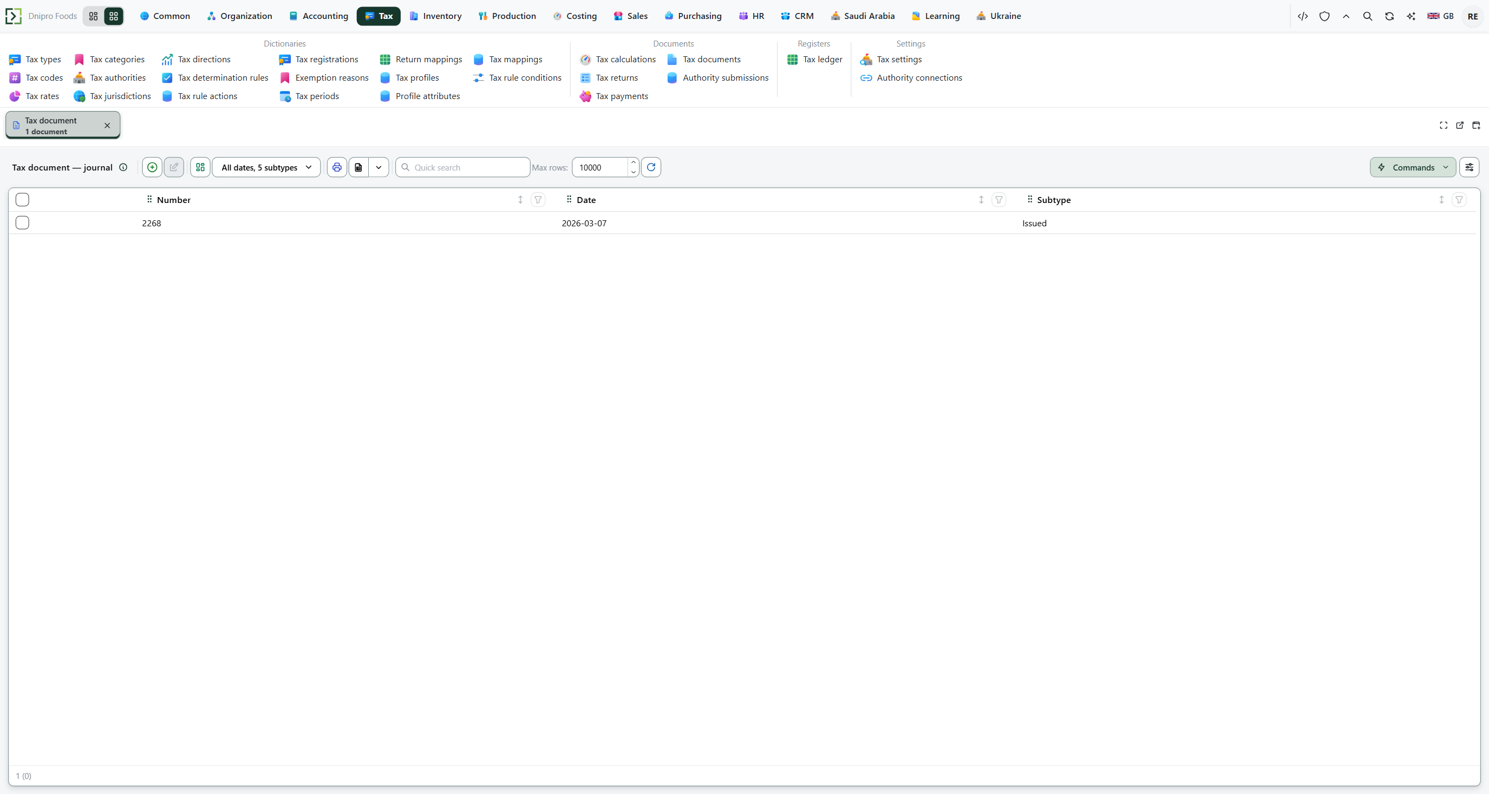 Tax documents list: each row is an authority envelope linked to a source document. The product is in English.
Search by Source or External id if you know it. Open the row for the document.
Read the state in the header. Issued means the payload is ready. Cleared means a clearance flow accepted it. Reported means a reporting flow accepted it. Rejected means the channel or authority refused it.
Check Kind, Document class, UUID, Invoice hash, Payload, and Rejection reason. Those fields live on this tax document, not on a send button.
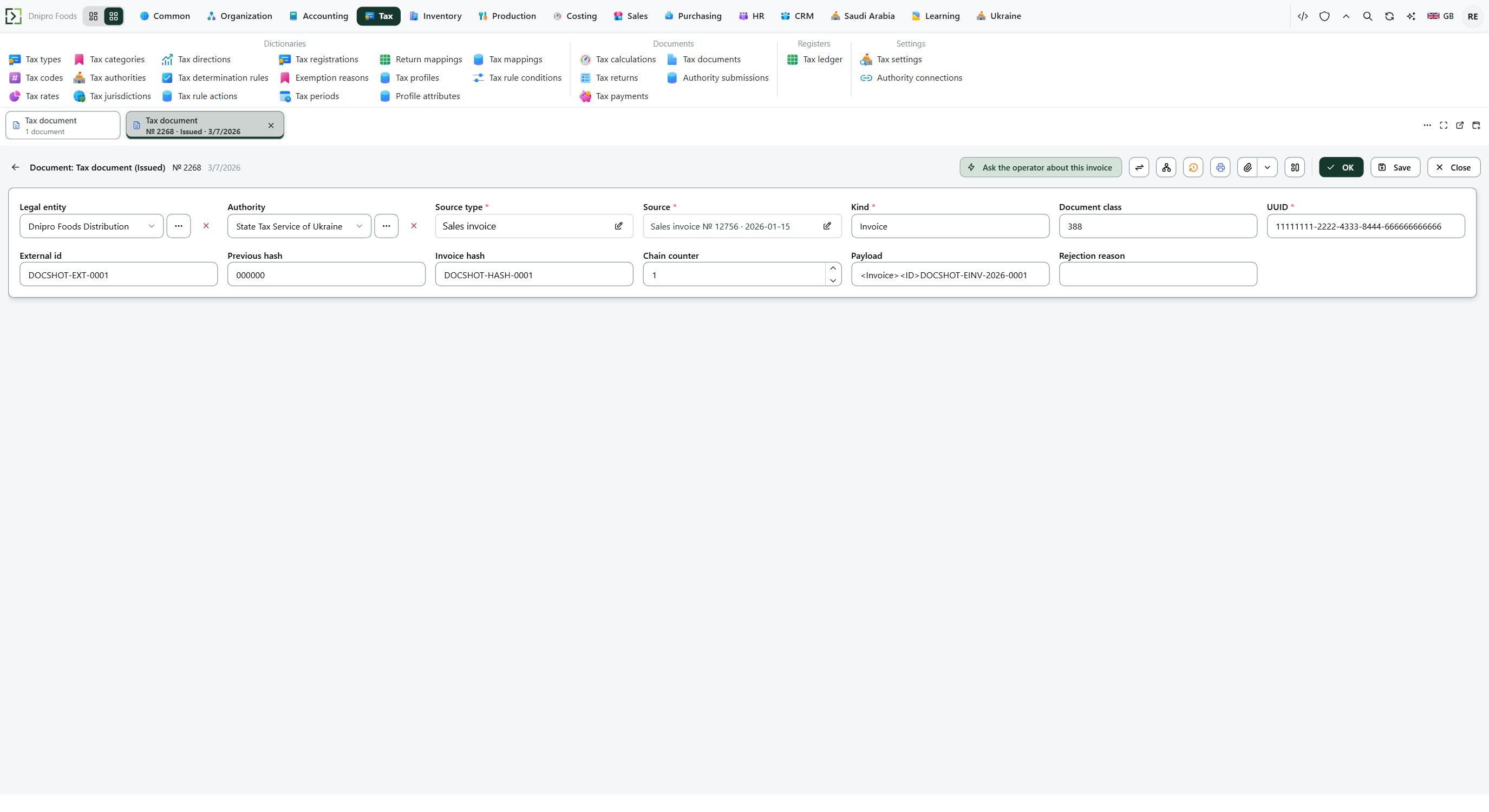 E-invoice envelope: the status and technical fields are on the tax document, not on a send button. The product is in English.
If the source invoice or note shows a QR or hash, open that source document and check that it matches Invoice hash on the envelope.
The country package decides when the buyer may receive the invoice. In Saudi Arabia a Standard invoice (buyer has a tax number) waits for Cleared; a Simplified invoice may go after Issued. Read this envelope first.
Example
After a posted Standard invoice in Saudi Arabia:
- State Issued
- State Cleared when the channel returns
A Simplified invoice may go after Issued. Rejected keeps Rejection reason on this card.
Tip
Draft means the envelope exists but is not yet issued. Refresh the list after the source document is posted. The outcome job moves Issued to Cleared, Reported, or Rejected.
If the command refuses#
| What you see | What to do |
|---|---|
| No tax document exists | The country package is off, the source is not posted, or that package does not create envelopes for this document. Post the source document and check the country setup. |
| The state stays Issued | The channel has not returned an outcome yet. Wait, then refresh the list. |
| The state is Rejected | Open Rejection reason. Fix the source data or the authority connection, then post a correcting note if the source must change. Do not edit the envelope. |
| The card has no send or resend button | That button is not on this card. Correct the source document, or wait for the country package to write a new envelope. |
See also
Same topic for other readers: Analyst