Approve an order
Updated
Use a sales order when the customer has agreed to take the goods and you are not invoicing yet.
Note
The invoice is what writes debt, revenue, and tax. Approving the order creates that invoice in Reserved; the order itself writes none of those.
How to#
To approve an order, open Ribbon → Sales → Documents → Sales orders.
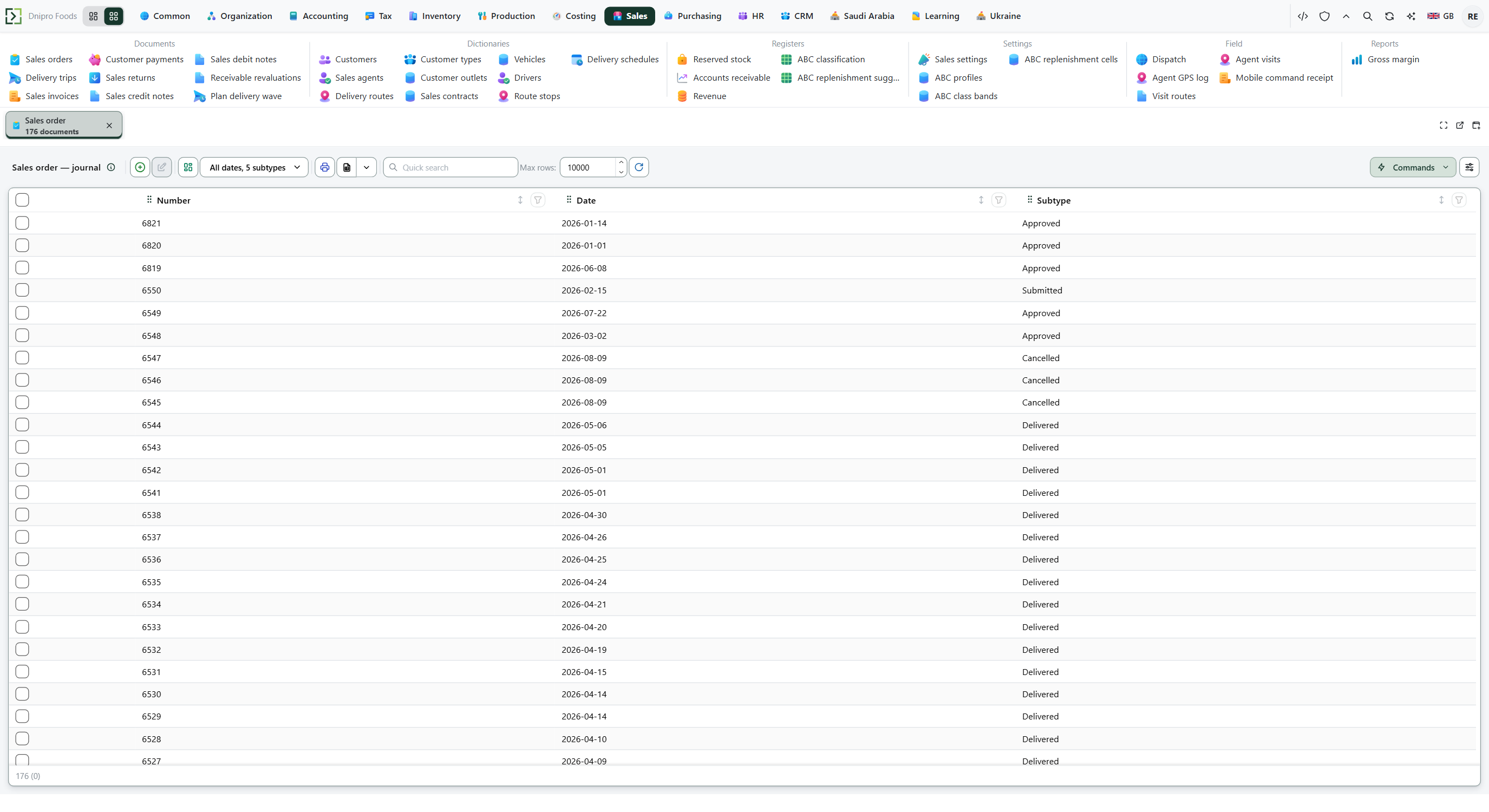 Sales order list. The product is in English.
Press New. Pick Customer, or start from Outlet — that fills Customer. Fill Ship-from location, Delivery date, and item Lines, Save. The card receives a Number and stays Draft.
Picking Customer fills Payment term and Agent. When that customer has one outlet, the card also fills Outlet, Contract, Delivery term, and Route.
On the phone the same idea holds without naming those fields: pick Outlet and the customer, the unique contract, and that contract's terms fill in. Add items opens the catalogue; each line shows the product, quantity, unit price, and amount. Ship-from location is still picked by hand — it is a warehouse cell, not the outlet address.
When the item and quantity are entered, Unit price and Price origin are filled from the pricing rules; you may override the price. The order has no Due date; that date appears on the sales realization.
Then press Submit order. If Confirm order on submit is on, the same button approves the order immediately and the state becomes Approved. If the order stays Submitted, press Approve order.
The state on the card does not move the order. Only Submit order or Approve order does. Until approval, no goods are reserved. After approval, the reservation is on the linked sales realization, not on the order.
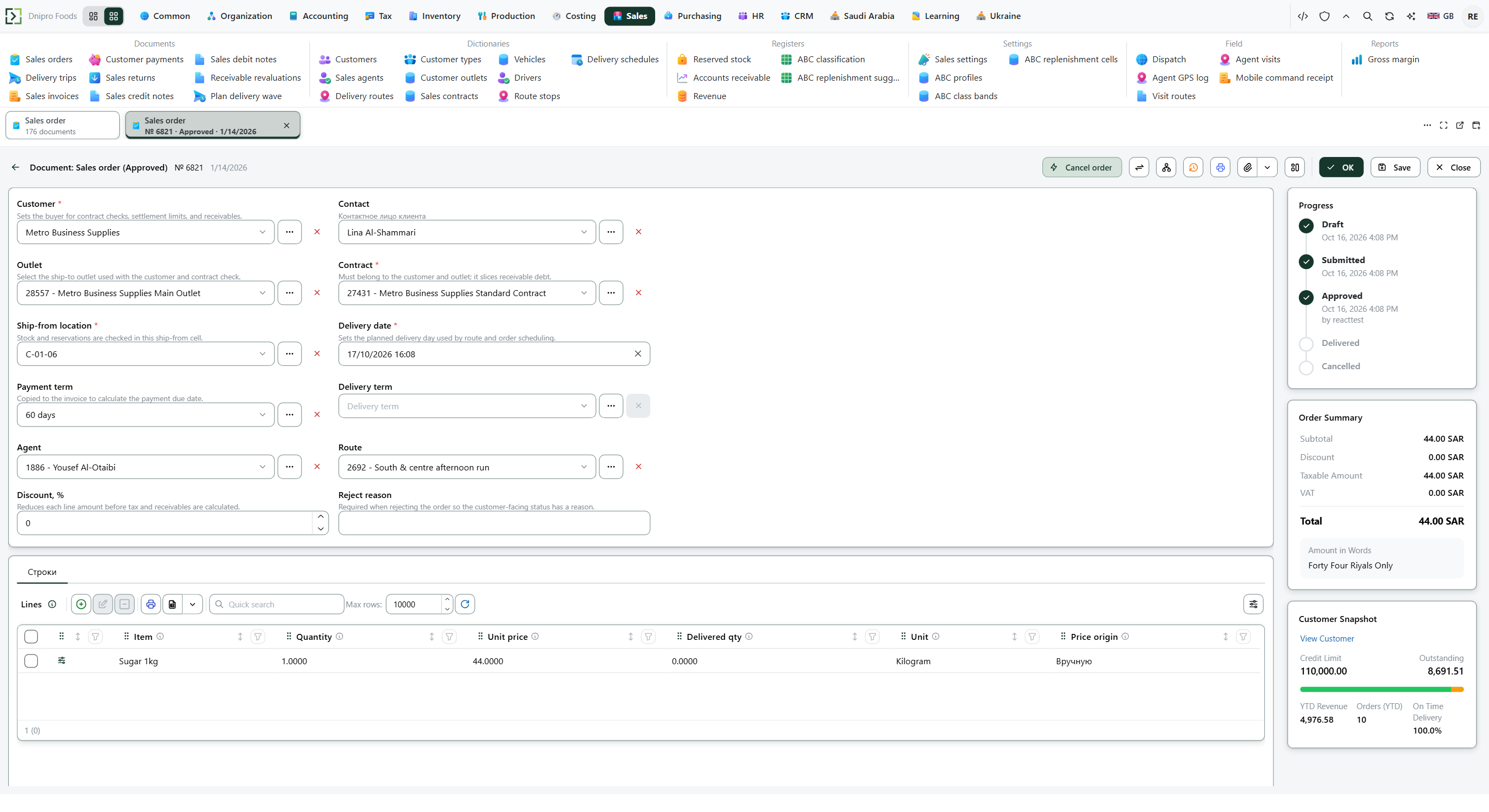 The state on screen is Approved. The value stored for that state is Confirmed.
Example
A customer on Net 30 whose only outlet has a contract of Net 14 and DAP is filled as Net 14 and DAP. The contract replaces the customer's own terms.
Tip
Approve order is not on the card while the order is still a draft. Press Submit order first, unless Confirm order on submit already approved it.
Approve order creates a sales realization in Reserved. Reject order needs Reject reason and returns Submitted to Draft. Cancel order closes Submitted or Approved. It cancels the linked realization only while that invoice is not Released.
If the command refuses#
| What you see | What to do |
|---|---|
| The command says the order is empty | Add a line. |
| The command says the contract is missing or invalid | Pick a Contract of this customer and outlet that is active on the delivery date. |
| The command says free stock is short | Lower the quantity, or turn Allow backorder on in Sales → Settings → Sales settings. |
| The command says the customer has overdue debt | Collect the overdue invoices, or have someone with the right press Release overdue block on the order, then Approve order again. |
| Approve order is not on the card | The order is not Submitted. Press Submit order, or Confirm order on submit already approved it. |
See also
Same topic for other readers: Analyst