Receive a payment
Updated
Use a customer payment to reduce what the customer owes. It does not change the sales realization. The invoice stays Released, and its revenue, stock, and tax stay posted.
Note
This document does not change the sales realization. Fill Cash desk or Bank account, not both. A payment does not name an invoice: it closes the customer and the contract, and optionally an order through Basis.
How to#
To receive a payment, open Ribbon → Sales → Documents → Customer payments.
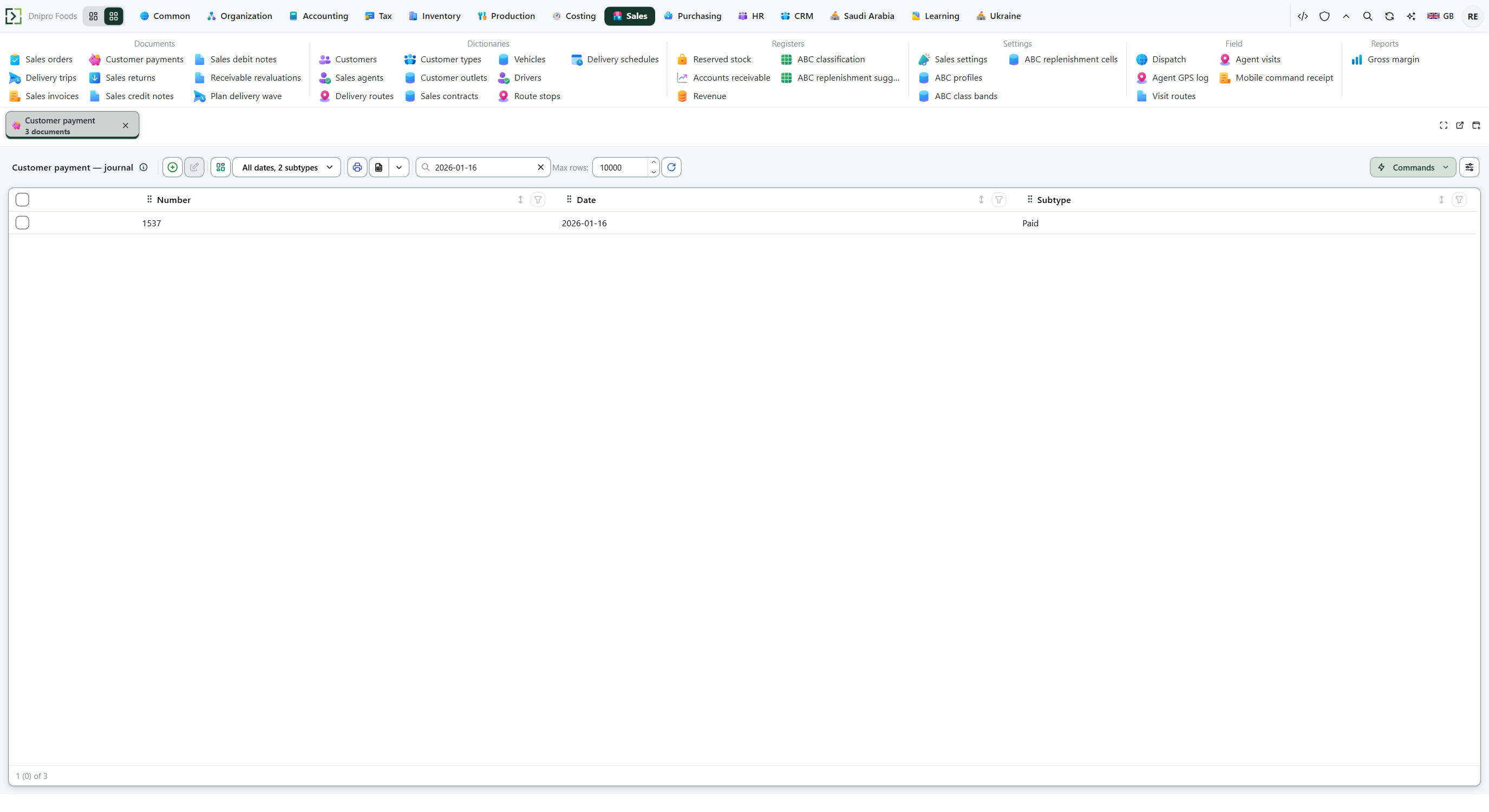 Customer payment list: each payment is its own document, separate from the invoice. The product is in English.
Press Create. The card opens in Draft. Fill Legal entity when the payment should write the ledger. Fill Cash desk or Bank account, not both.
Add a line: Customer, Amount, and Contract. Use the contract of the invoice you want to close. Leave Basis empty for an advance, or set it to the order being settled. Save. The card receives a Number.
Then press Receive payment. The state becomes Paid. The invoice does not change.
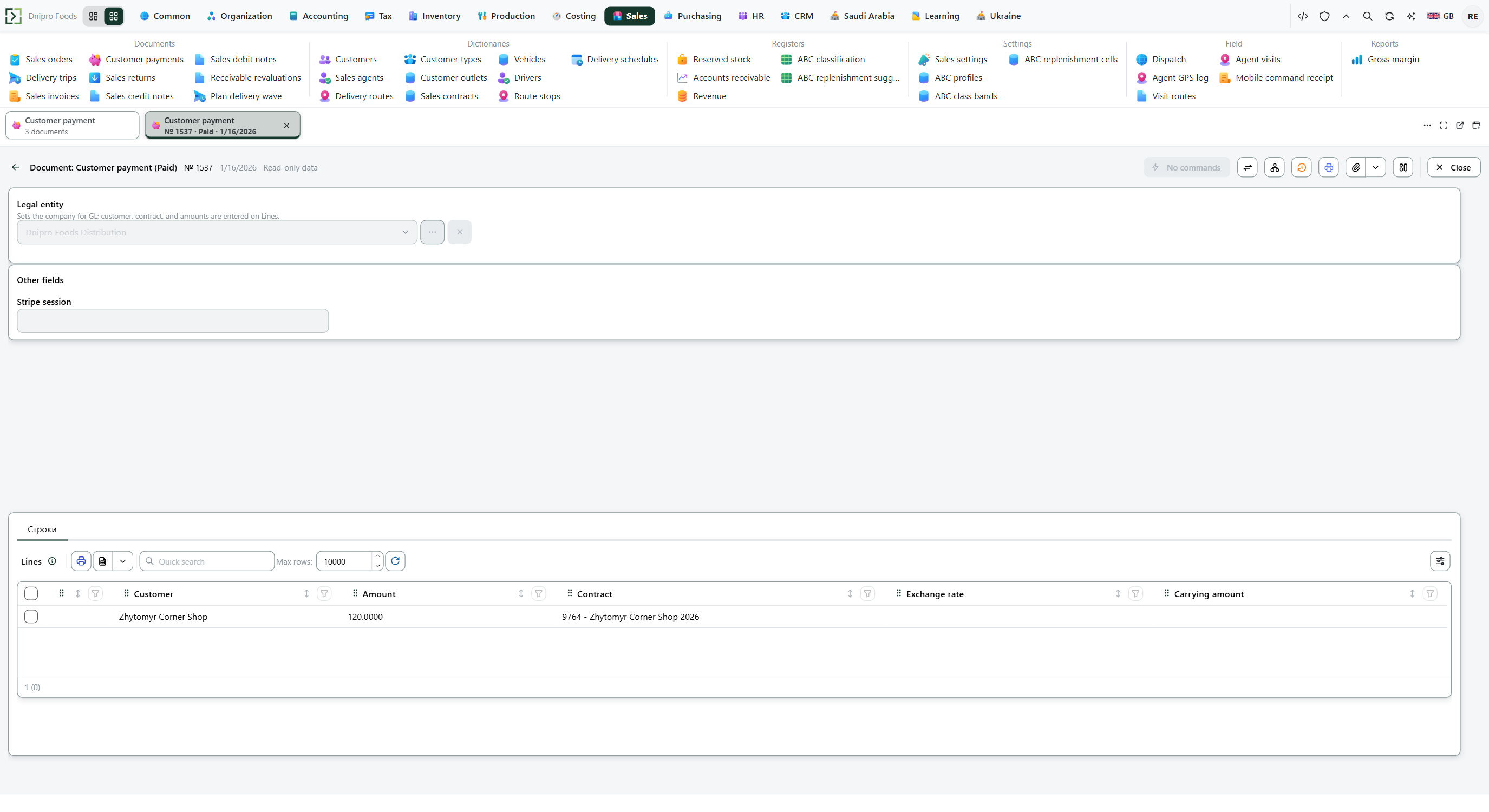 Paid customer payment: the line shows customer, amount, and contract. The state on screen is Paid.
The state on the card does not post the payment. Only Receive payment does. Until you press it, the document stays Draft.
Debt lives on the customer and the contract, not on an invoice number. A payment of the same customer and the same contract reduces that slice. Another contract is a different slice: paying it does not close the first. An advance is allowed. The debt can go below zero, and a later order on a prepaid contract sees that credit.
Leave both Cash desk and Bank account empty and the debt still falls, but no desk balance and no bank balance moves. The desk or the account only accepts a line whose Contract is in that desk's or account's currency.
Example
The customer owes 1,035 on contract C (goods 900 + VAT 135).
Pay 400 against that same customer and contract: they still owe 635. Pay the remaining 635 on C: that contract is clear.
Pay 635 on a different contract D instead of clearing C:
Contract C Contract D Still owed 635 0 (advance 635)
Tip
There is no payment-method setting. When Legal entity is filled, the ledger uses the cash account from accounting settings. Open debt is read from Receivable by customer and contract.
If the command refuses#
| What you see | What to do |
|---|---|
| The command refuses an empty payment | Add a line. |
| The command says the amount must be greater than zero | Enter a positive Amount. |
| The debt you expected is still open | The line uses another Contract. Use the invoice's contract. |
| The command says to select a cash desk or a bank account, not both | Clear one of them. |
| The command says the desk or the account only takes its own currency | Use a contract in that currency, or pick another desk or account. |
| No ledger entry appears | Legal entity is empty, or the accounts are not configured. The debt is still reduced. |
See also