Set units and packaging
Updated
Set a unit when a quantity needs a name. Set a package when one pack of an item holds a fixed number of that item's base units. The line keeps the quantity you typed. Save writes the base quantity beside it.
Note
A unit and a package write no stock. A pack stores its size on the item. Quantity 3 in a box whose Quantity in base unit is 12 writes 36 in the item's base unit. The same box with 6 writes 18.
How to#
To set a unit, open Ribbon → Common → Dictionaries → Units of measure.
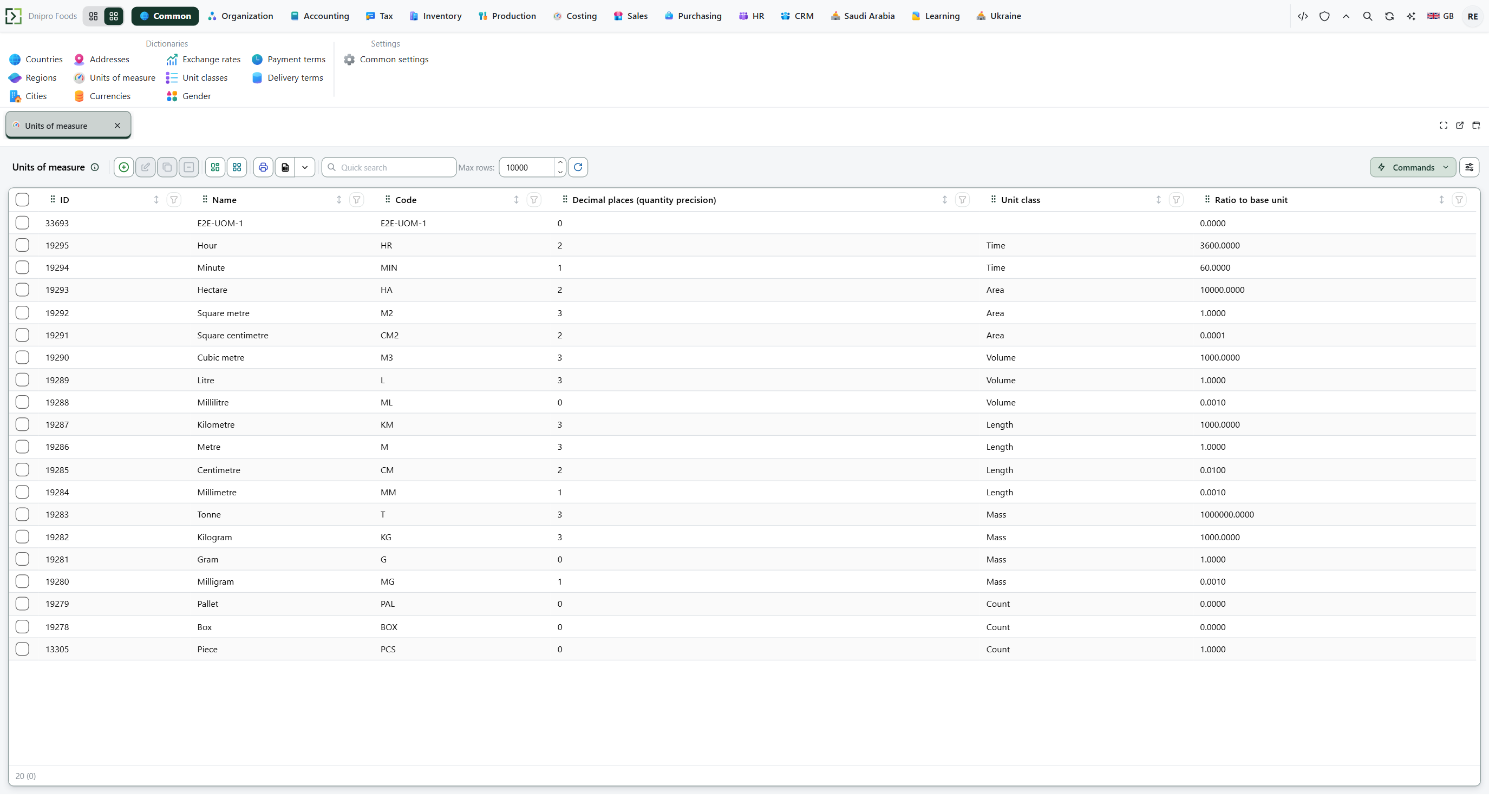 Units of measure under Common. Piece is class Count with ratio 1 and 0 decimal places. Box and Pallet show ratio 0. Kilogram is class Mass with ratio 1000. The product is in English.
Press New. Fill Name, Code, Unit class, Ratio to base unit, and Decimal places (quantity precision). Save.
Press New again for a package unit. Fill Name, Code, and the same Unit class. Leave Ratio to base unit empty, or leave the 0 the list shows. Save. A package with ratio 0 does not convert any item yet.
Open Ribbon → Inventory → Dictionaries → Items and open the item. Set Unit to the base unit. Save. That unit is the base a package counts in.
Then open Ribbon → Inventory → Dictionaries → Item units.
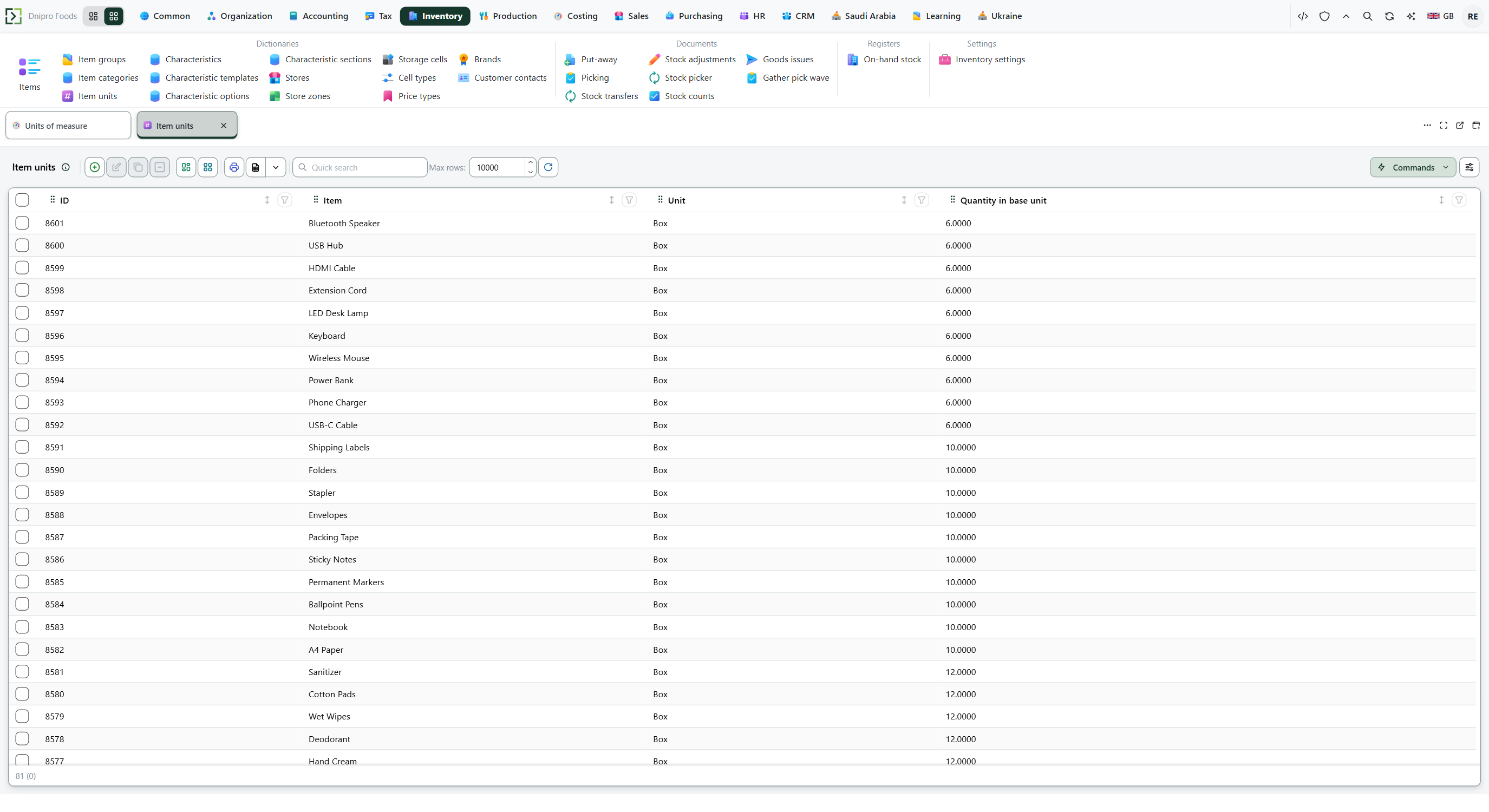 Item units under Inventory. Each row is an item, the unit Box, and a quantity in the base unit of 6, 10, or 12. The product is in English.
Press New. Fill Item, Unit, and Quantity in base unit. Save. A second item that uses the same package unit gets its own row. A pack of 6 is a row with 6, not a change to the package unit card.
Open Ribbon → Purchasing → Documents → Purchase orders and open a Draft. On Lines, enter Quantity and Unit. Save. The line still shows the quantity you typed. The hidden Qty in base unit becomes quantity times Quantity in base unit.
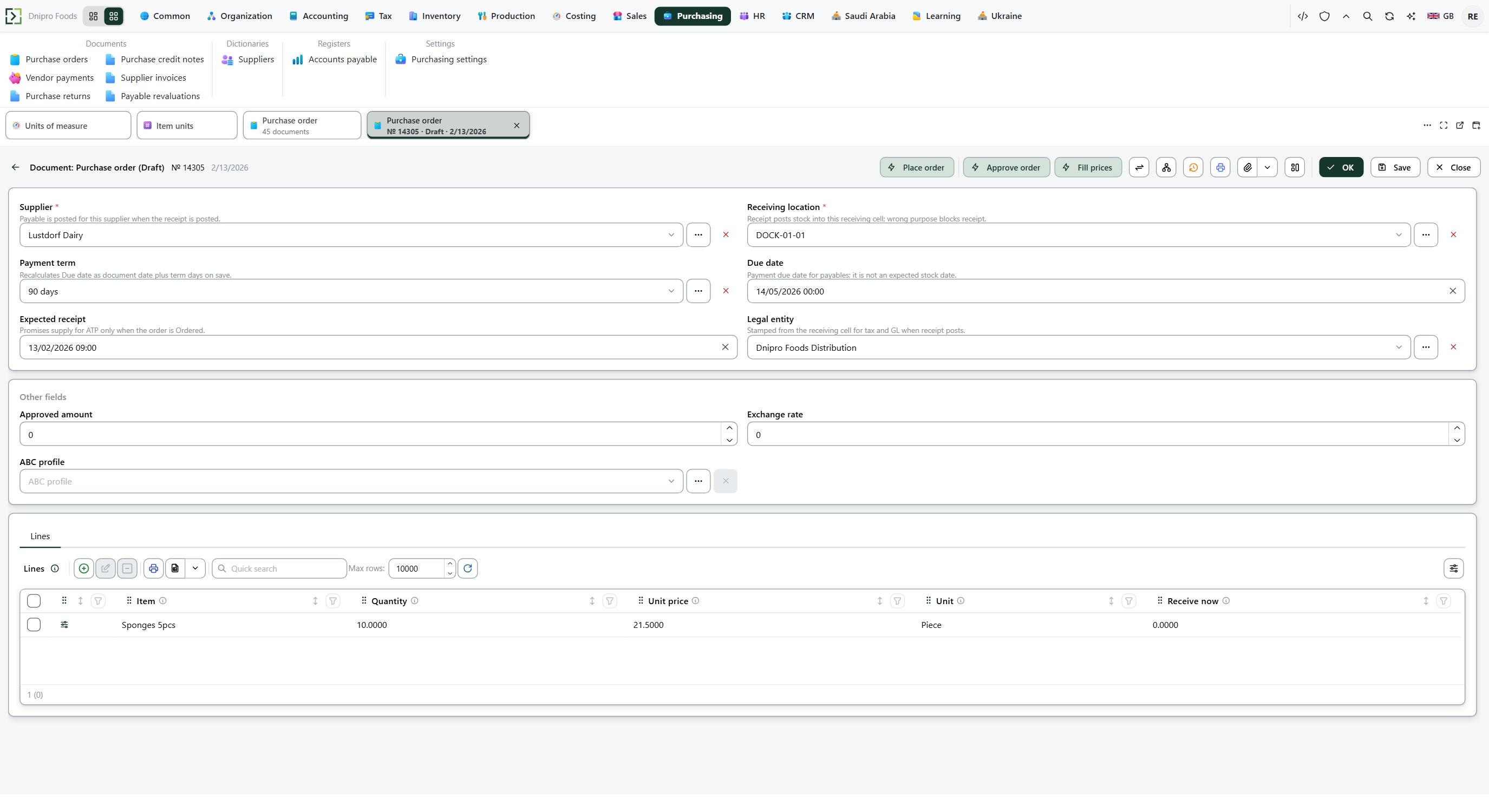 A purchase order in Draft. The line shows Quantity, Unit price, and Unit. This row is 10 in Piece. The product is in English.
Save is what writes the base quantity. The Draft caption on the card does not.
Example
Base unit:
- Name Piece
- Code PCS
- Unit class Count
- Ratio to base unit 1
- Decimal places (quantity precision) 0
Save. Package unit:
- Name Box
- Code BOX
- Unit class Count
- Ratio to base unit 0
Save. Item unit:
- Unit Box
- Quantity in base unit 12
You type Quantity 3 and Unit Box. 3 × 12 = 36.
After Save on the purchase order line:
Before After Quantity 3 3 Qty in base unit empty 36 Same Box unit, second item with 6 pieces per box. 3 × 6 = 18. Qty in base unit becomes 18. The item row owns the factor, not the unit card.
Tip
Default unit of measure and Enforce unit conversion sit on Inventory → Settings → Inventory settings. Documents do not read them. Quantity 3 in a box of 12 writes 36 with the box clear and with the box ticked. Changing Quantity in base unit from 12 to 10 leaves a saved line at 36 until that line is saved again. How to create the unit card is Create a unit of measure.
If the command refuses#
| What you see | What to do |
|---|---|
| The command says the quantity in the base unit must be greater than zero | Quantity in base unit is 0 or negative. Enter a positive number. One box of 12 pieces is 12. |
| The command says the package cannot match the item's base unit | Unit is the item's own Unit. Do not add a package row for Piece when Piece is the item's unit. |
| The command says a package in that unit already exists for this item | This item already has a row for Box. Open that row and change Quantity in base unit. |
| The command says the item was not found | Item does not point at an item. Pick one that exists. |
| The command says there is no unit conversion rule for Quantity | Unit is filled, and this item has no package row for it, and the two units have no positive ratio in one class. Add the Item units row, or set both ratios. Quantity 3 in a Box with no row does not become 3 pieces. |
| The line saved and stock still moves by the typed quantity | Unit was empty, so the base quantity was left empty. Fill Unit before Save when the line must convert. |
| You expected 3 boxes to count as 3 pieces | The row says 12. Quantity 3 writes 36. |
See also