Create a price type
Updated
Create a price type when items need a new sale, purchase, or internal price. Saving the card stores the type; it does not put a number on any item.
Note
Save writes no item price. Enter the number on the item — Pricing.
How to#
To create a price type, open Ribbon → Inventory → Dictionaries → Price types.
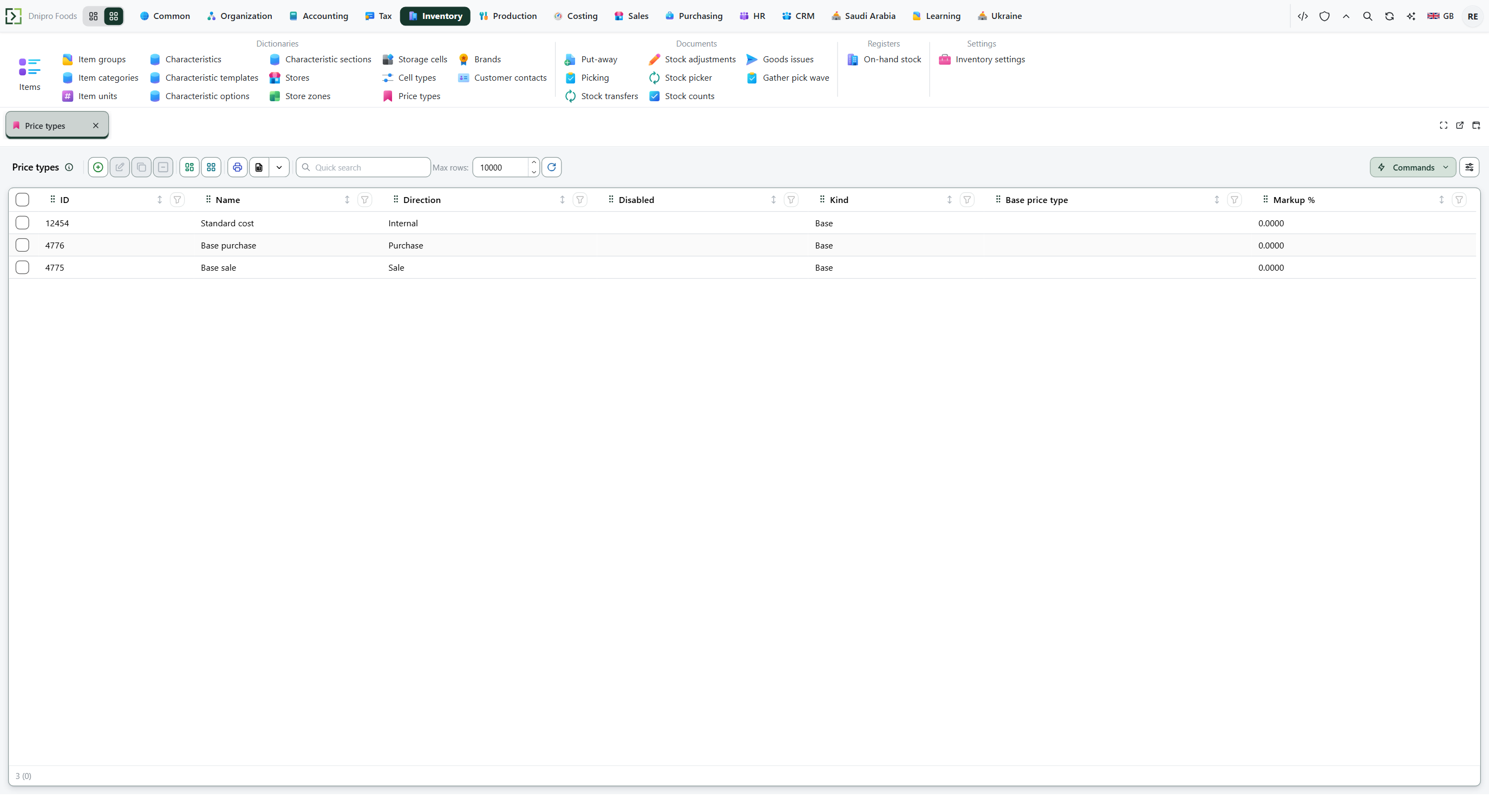 Price types list: Standard cost is Internal, Base purchase is Purchase, and Base sale is Sale. Kind is Base and Markup % is 0. The product is in English.
Press New. Fill Name, Direction, and Kind. Save. The row is in Price types, and ID is issued and read-only.
Direction is Sale, Purchase, or Internal. The picker shows those names. Internal is the standard cost. It is never the default sale or purchase type.
On the card, the band is Price assignment rules. Kind is labeled Price type kind there: Base or Calculated. Markup % is labeled Markup, %. Round to and Round up show only when Kind is Calculated.
For Base, leave Base price type empty and Markup, % at 0. For Calculated, pick a Base price type and enter a signed Markup, %.
Leave Disabled off so the type is live. A disabled type is skipped, including a type in the middle of a calculated chain.
Example
- Name Retail +35
- Direction Sale
- Price type kind Calculated
- Base price type Base sale
- Markup, % 35
Save. The list shows Retail +35. No item has a new price yet.
Tip
Default sale price type and Default purchase price type are in Inventory settings. How they are set is in Pricing.
If the command refuses#
| What you see | What to do |
|---|---|
| The save says to fill Name | Fill Name. |
| The save says to pick Direction | Pick Direction: Sale, Purchase, or Internal. |
| The save says to pick Price type kind | Pick Price type kind: Base or Calculated. |
| The save lists Name, Direction, and Kind as required | Fill all three. |
| The save says a price type with this Name already exists | Pick another Name. The list already has Base sale, Base purchase, and Standard cost. |
| The save says a Base type cannot reference another type or carry markup | Clear Base price type and set Markup, % to 0, or switch Price type kind to Calculated. |
| The save says a Calculated type must reference a base price type | Fill Base price type. |
| The save says markup cannot be −100% or less | Use a Markup, % above −100. |
| The save says this type already has price rows on items | Remove this type's prices on the items, then switch Price type kind to Calculated. |
| The save says the base price type chain loops | Pick a Base price type that does not point back at this type. |
| You expected a price on the item after Save | The number is set on the item — Pricing. |
See also