Issue a credit note
Updated
Use a sales credit note when a released realization charged too much tax. Tax debt falls. The goods stay where they are, and the realization stays Released.
Note
A credit note does not move stock and does not change the realization. A sales return puts goods back and reduces net debt; it does not reverse tax. Post both when both must change.
How to#
To issue a credit note, open Ribbon → Sales → Documents → Sales credit notes.
Press New. Fill Customer, Outlet, Contract, Original invoice, and Lines, Save. Then press Post sales credit note.
The state becomes Posted. Tax debt decreases. Stock does not change. The realization stays Released.
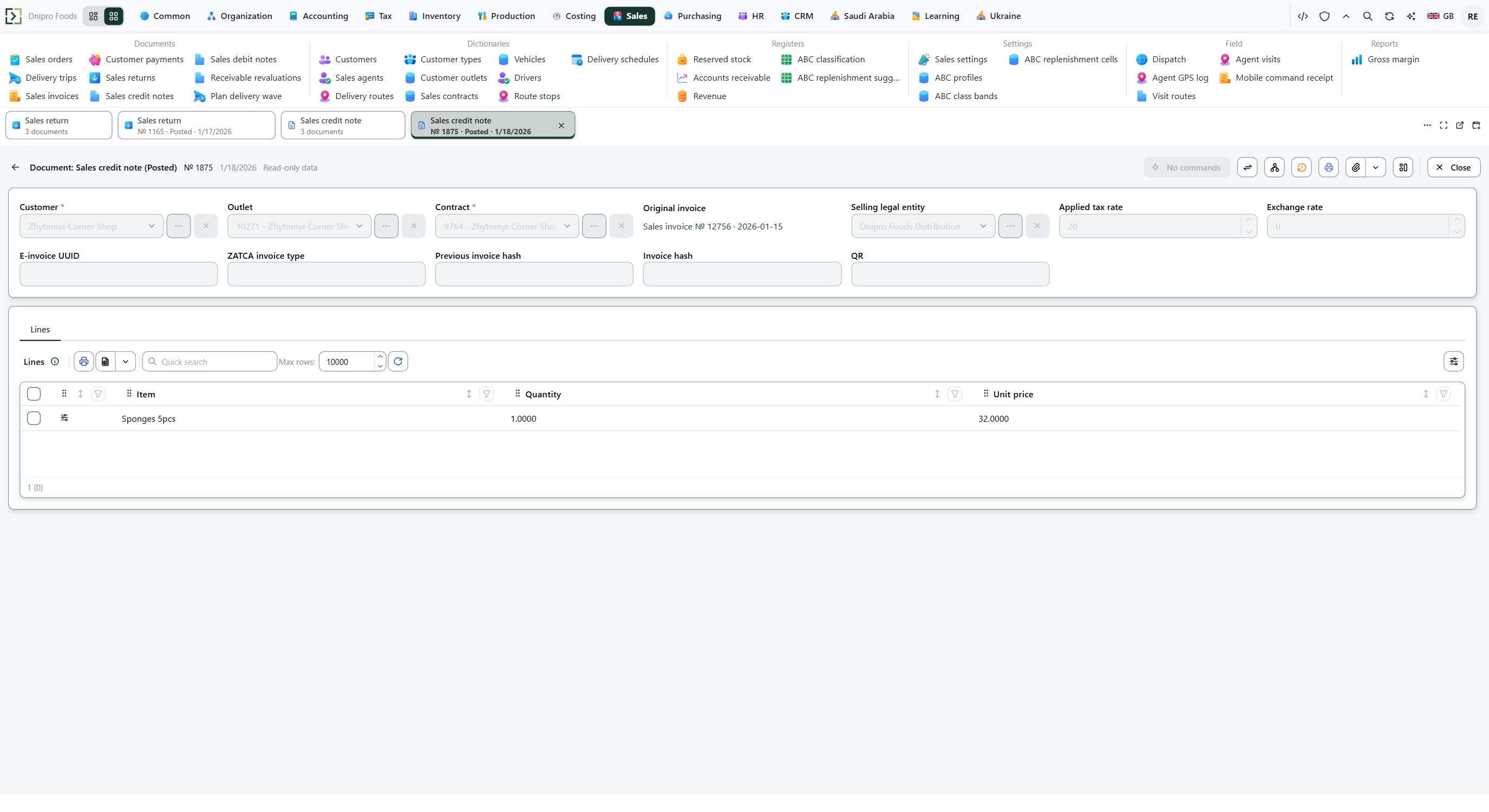 Posted sales credit note: customer, original invoice, contract, tax rate, and the note lines. The product is in English.
The state on the card does not move the note. Only Post sales credit note does. Until you press it, the note stays Draft, however many times you save.
Example
You sold 10 pieces at 100 each, VAT 15%. Goods 1,000 plus tax 150: the customer owes 1,150. Ten pieces are already out of stock.
A credit note for 2 pieces of that line reverses only the tax on those two: 2 × 100 × 15% = 30. The 200 of goods stays on the invoice. Stock does not move.
After the sale After the credit note Customer owes 1,150 1,120 VAT 150 120 Pieces still out 10 10
Tip
If Lines is empty when you pick Original invoice and Save, the realization lines are copied. A debit note does not copy lines. Posted is read-only.
If the command refuses#
| What you see | What to do |
|---|---|
| The command says you cannot post an empty credit note: add lines | Add a line. |
| The command says the quantity in the line must be greater than zero | Enter a positive Quantity. |
| The command asks for the original invoice | Fill Original invoice with the released realization. |
| The command says the credit note is only for a released invoice | Fill Original invoice with a realization in Released. |
| The command says the invoice has no VAT — there is nothing to credit | The realization has no tax to reverse. Do not post a credit note. |
| The command says a line VAT rate has no rate in force | Add a rate for the document date before posting. |
| Post sales credit note is not on the card | The note is not Draft, or it is already Posted. |
See also