Transfer stock
Updated
Use a stock transfer when a quantity must move from one cell to another. Post transfer posts the move. The item's total quantity, cost, revenue, and debt stay the same.
Note
A draft does not move stock. Post transfer writes minus on the source cell and plus on the target cell. Cost, revenue, and debt stay the same.
How to#
To transfer stock, open Ribbon → Inventory → Documents → Stock transfers.
Press New, or open a draft. Fill From location and To location. Add a line with Item and Quantity. Unit can stay empty. Leave line From cell and To cell empty to use the header cells. Fill a line cell when that line should leave or enter a different cell. Press Save. The card receives a Number and stays Draft. A draft of 4 against 10 on the source leaves the source at 10 and the target at 0.
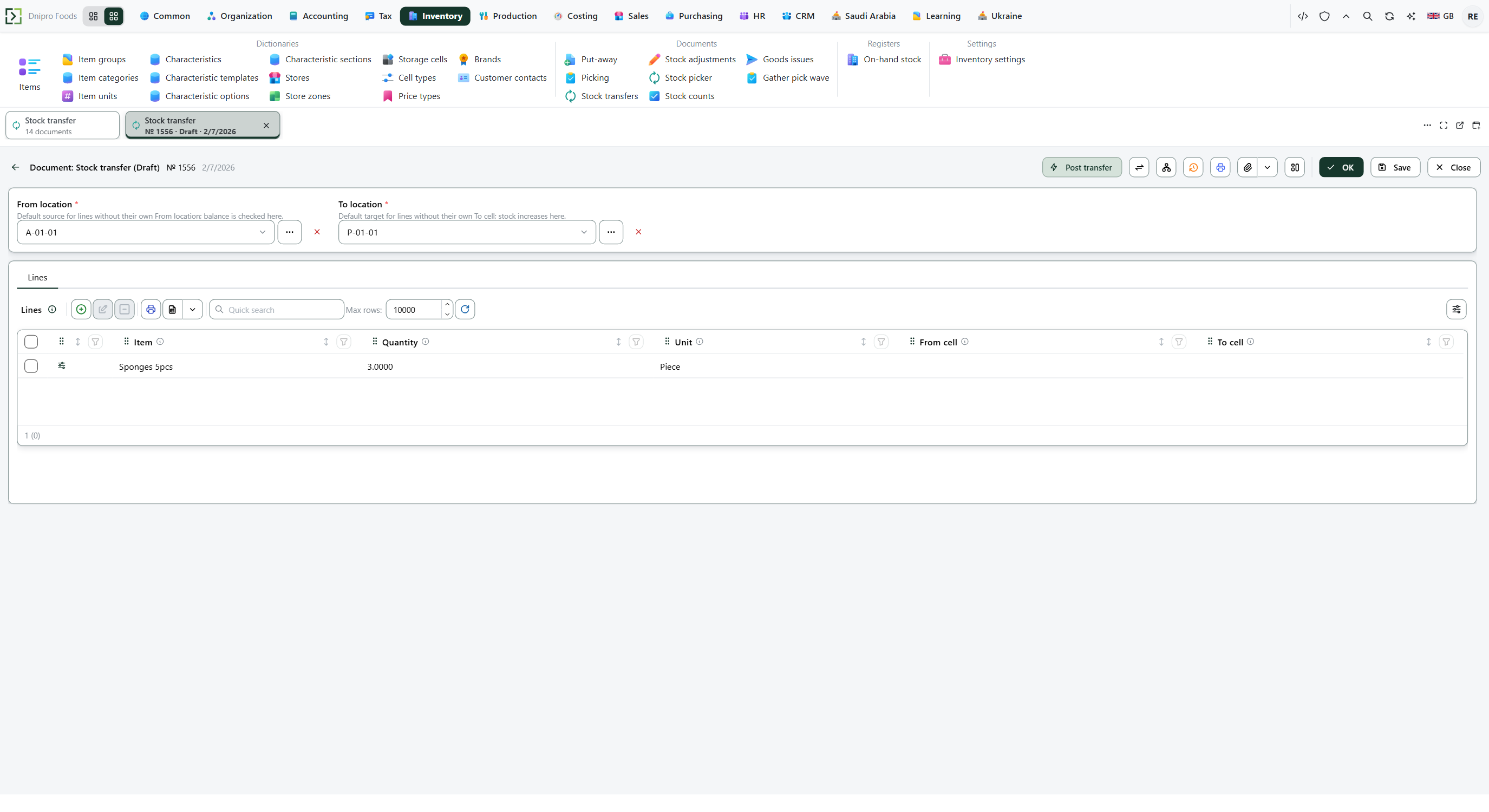 Stock transfer draft № 1556: From location A-01-01, To location P-01-01, and one line, Sponges 5pcs, quantity 3.000, unit Piece. Line From cell and To cell are empty. The state on screen is Draft. The product is in English.
Then press Post transfer. The state becomes Posted. The source cell decreases and the target cell increases by the same base quantity. Posting 4 from a cell that holds 10 leaves 6 there and puts 4 on the target.
The state on the card does not post the document. It changes when you press Post transfer. Until you press it, the document stays Draft, however many times you save.
Example
The header From location holds 4. Another cell holds 3. One line of 4 uses the header (line From cell empty). One line of 3 uses the other cell. Both lines enter the header To location. 4 + 3 = 7.
After Post transfer:
Before After From location 4 0 Other From cell 3 0 To location 0 7
Tip
The transfer has no setting of its own. Shipment scheme does not change a transfer you type yourself. When Enforce warehouse tasks is on and Shipment scheme is Simple, confirming a pick posts a transfer from storage onto the order's cell — that path is Choose a shipment scheme. Off, that confirmation creates no transfer.
If the command refuses#
| What you see | What to do |
|---|---|
| The command refuses an empty transfer | Add a line. |
| The command refuses a quantity that is not above zero | Enter a positive Quantity. |
| The command names the quantity on hand | Lower Quantity, or fill line From cell with a cell that holds the goods. A transfer of 100 when the cell holds 5 stays Draft, and the cell stays at 5. |
| The command names the free quantity | Another document has reserved stock on that cell. A transfer of 4 when the cell holds 10 and 8 are reserved stays Draft. A transfer of 2 posts: the source becomes 8, the target becomes 2, and the reserved 8 stays on the source. |
| The stock left the header cell | Line From cell was empty. Fill it before posting when the line should leave another cell. |
| The stock arrived in the header cell | Line To cell was empty. Fill it before posting when the line should enter another cell. |
See also