Open a register report
Updated
Open a register, pick a delivered layout, press Build, and read opening, incoming, outgoing, and closing values.
Note
Build does not post anything. The view only reads totals that documents already wrote. A purchase receipt writes payables; a sales realization writes receivables; finishing production writes work in progress. To post a ledger correction, use Post a journal.
How to#
To open a register report, open the register from that module's Registers group. Examples: Ribbon → Inventory → Registers → On-hand stock, Ribbon → Purchasing → Registers → Purchases, Ribbon → Purchasing → Registers → Accounts payable, Ribbon → Sales → Registers → Revenue, Ribbon → Accounting → Registers → General ledger, Ribbon → Production → Registers → Work in progress.
The builder opens. Check the period. The table splits values into Opening balance, Income, Outcome, and Closing balance for that period.
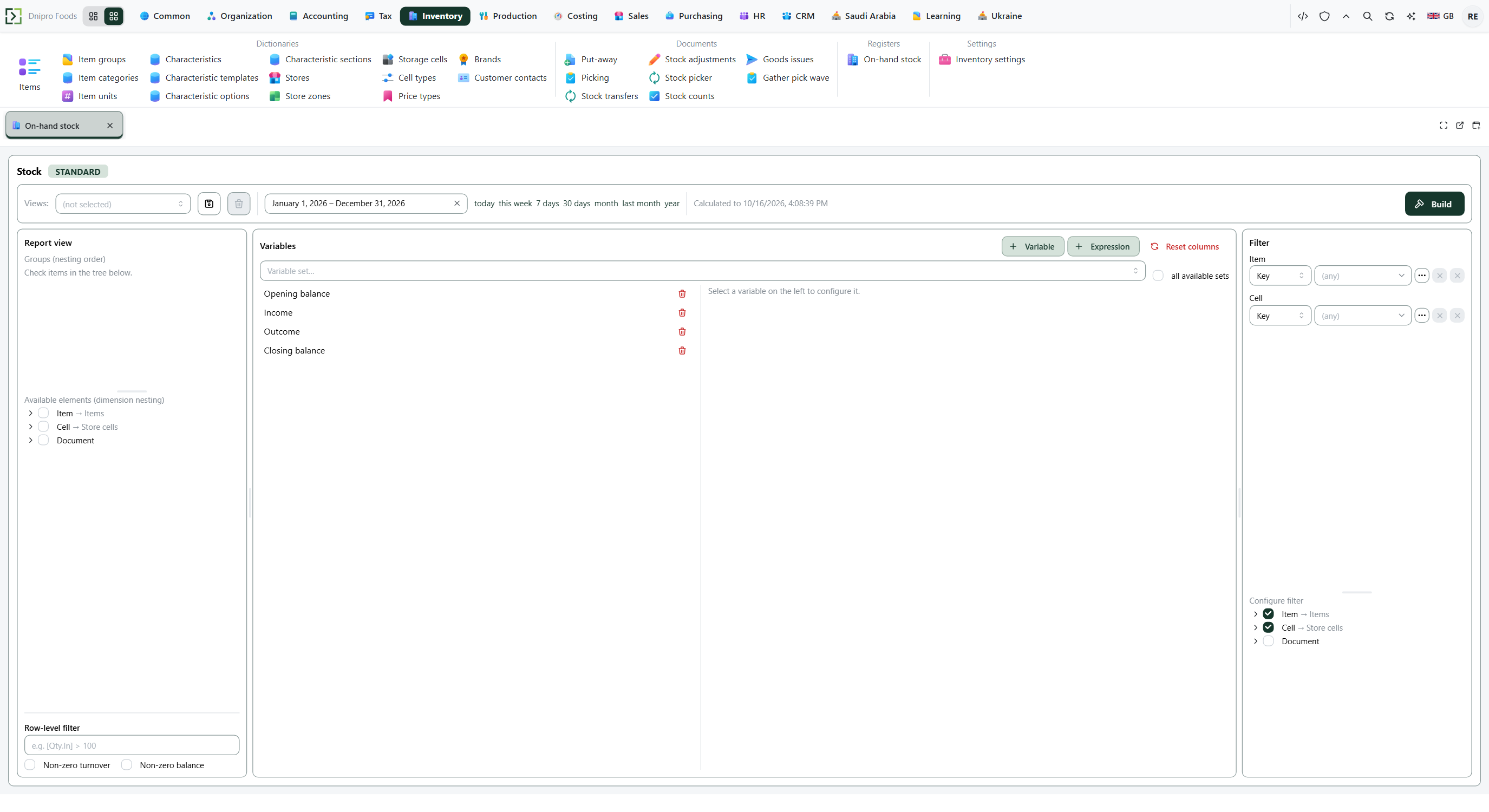 Report builder: dimensions and the Build button are visible before the totals table is calculated. The product is in English.
Keep the delivered layout in Views:, or pick the dimensions the builder asks for. Then press Build.
On the result, grouping chips show how rows nest. Click a chip to switch that grouping off. Drag chips to change the nesting order. Rows are grouped on the left. Numeric columns are the resources of the register. Delivered layouts hide a row whose closing balance is zero.
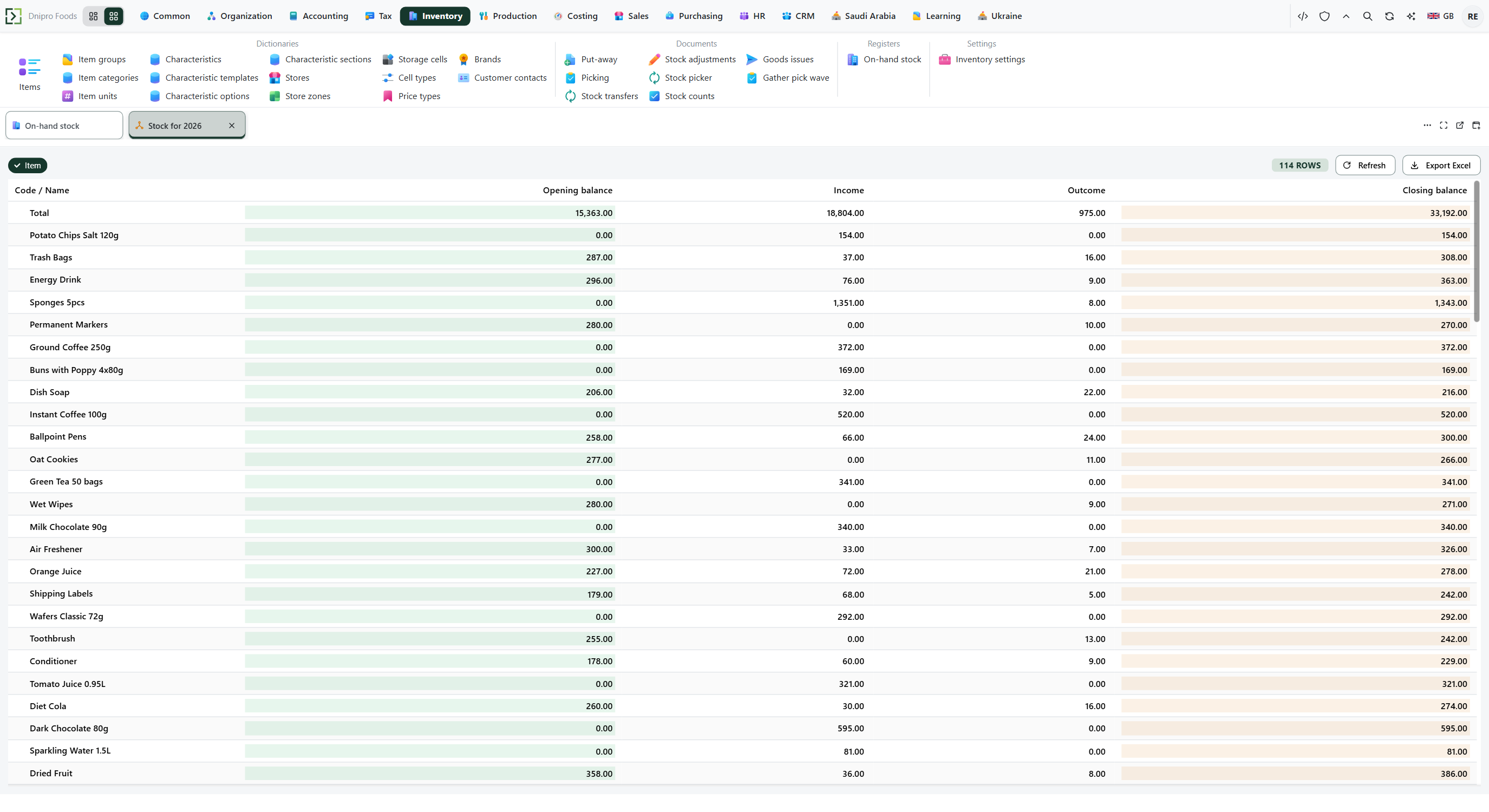 Built totals view: rows with zero closing balance are hidden by delivered layouts. The product is in English.
If a document was just posted and the numbers look old, refresh or press Build again.
Example
Opening receivable is 120. A released sales realization adds 80. A payment of 50 goes out. 120 + 80 − 50 = 150.
After Build:
Opening Closing Receivable 120 150 Income is 80. Outcome is 50. Layout Receivable by customer and contract shows one row. When the closing balance becomes zero, that row is hidden.
Example
Last month a supplier delivered 10 bolts and another delivered 5 of the same item into the same cell. Purchases → Registers → Purchases, period last month, layout Purchases by supplier and item. Income is 10 on the first supplier row and 5 on the second. On-hand stock for that cell is 15 and has no supplier column.
Tip
On-hand stock uses layout Stock by item and cell. Goods received from suppliers use Purchases by supplier and item. Sales quantity and amount use Revenue by item, customer and contract. Accounts payable uses Payable by supplier. The general ledger uses GL by legal entity and account — Check the general ledger. Work in progress uses Work in progress by item and cell. A paid or closed document disappears from a balance view even though turnover existed in the period. The purchases layout keeps a row that moved in the period.
If the command refuses#
| What you see | What to do |
|---|---|
| No data., or the table is empty | Widen the period. Check that the source document is posted. Delivered layouts hide a row whose closing balance is zero. |
| A paid or closed document is not shown | Use a period where the closing balance is not zero, or open the source document. |
| The menu item is missing | Open the module that owns that register. |
| You expected a purchase and there is no row | The purchase order is not Received. |
| You expected work in progress and there is no row | The production order is not Released, or it is already Finished. |
See also