Read reserved vs free stock
Updated
Free balance is the quantity another document can still take from a cell. Read on-hand stock and reserved stock for the same item and cell, then subtract.
Note
There is no screen that shows on-hand, reserved, and free balance on one row. Compare the two totals. Another document's reservation is subtracted. The document that already holds the quantity keeps that quantity available to itself.
How to#
To read reserved versus free stock, open Ribbon → Inventory → Registers → On-hand stock. Check Item → Items. Press Build. Read the closing Qty for the item and the cell. That quantity is on hand. The layout is Stock by item and cell.
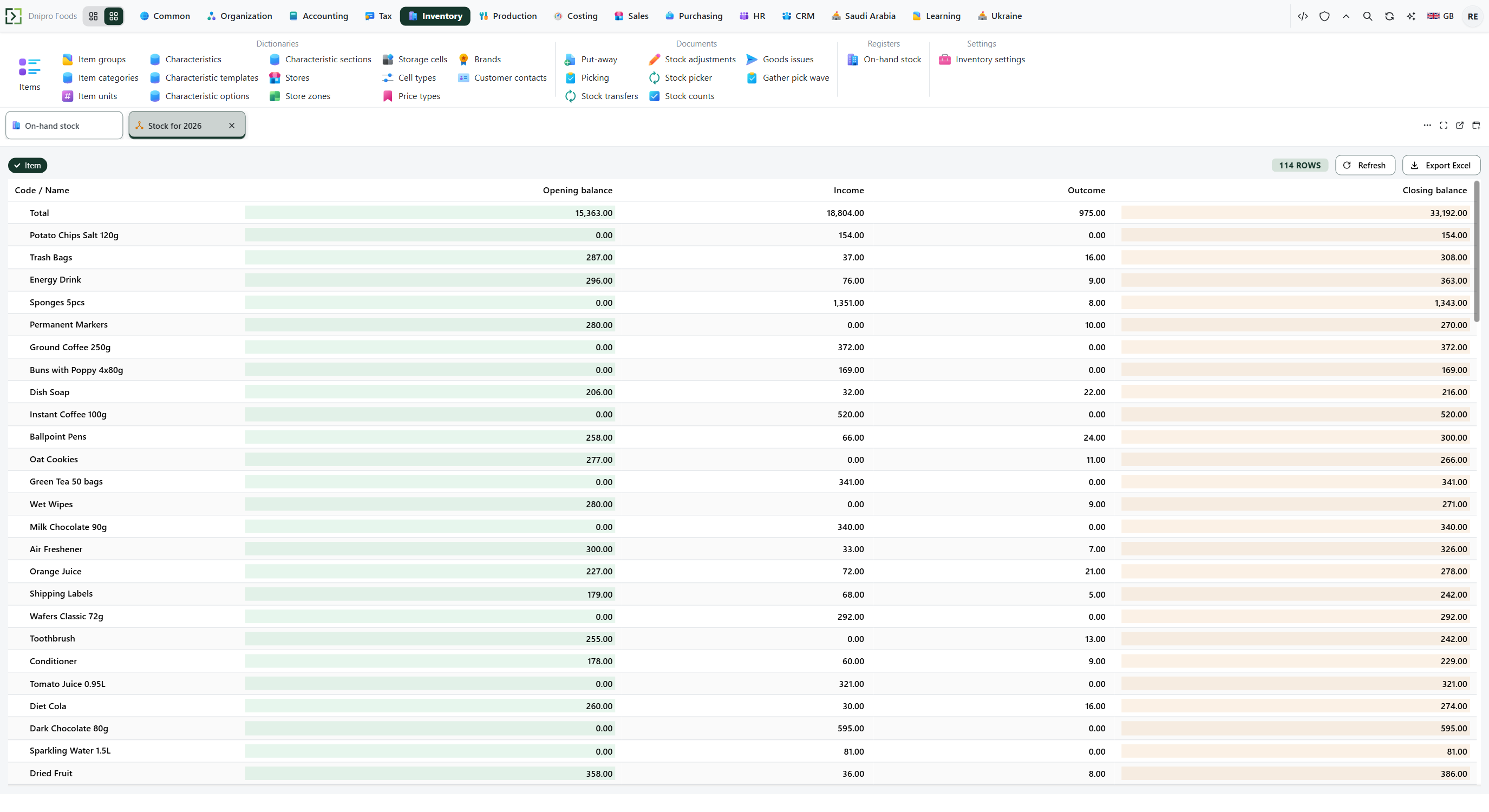 On-hand stock totals: closing Qty is grouped by item and cell. The product is in English.
Then open Ribbon → Sales → Registers → Reserved stock. Check Item → Items. Press Build. Read the closing Qty for the same item and the same cell. The layout is Reserved stock by item and cell.
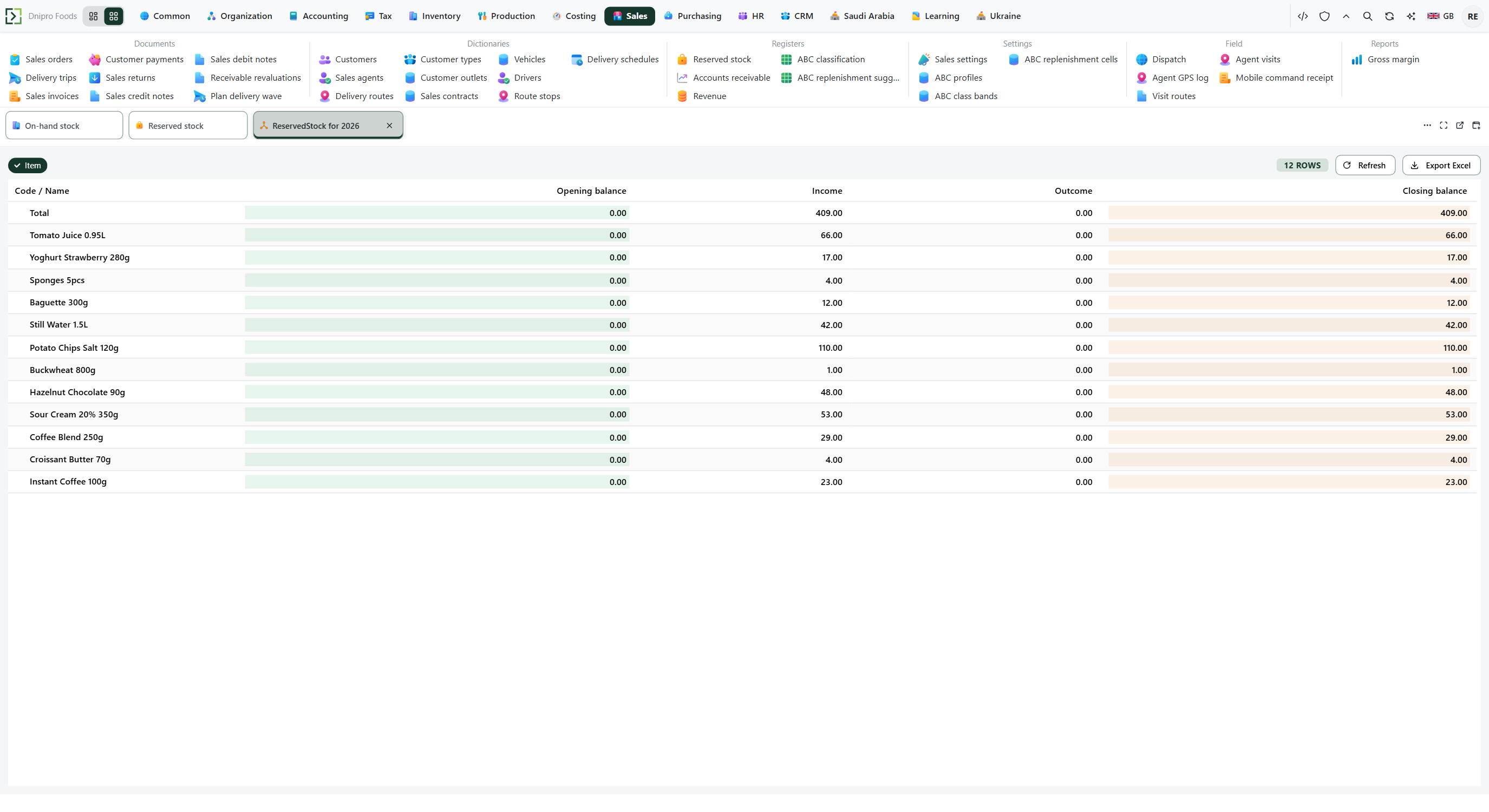 Reserved stock totals: reserved Qty uses the same item and cell as on-hand stock. The product is in English.
Subtract reserved Qty from on-hand Qty. On-hand 10 and reserved 8 leave free balance 2. A row with closing Qty 0 is left out: both layouts have Non-zero balance on.
Open Ribbon → Inventory → Documents → Goods issues and open the draft before you raise the quantity. Post goods issue for 4, when free balance is 2, refuses. The command says 4 is required and 2 is free. Quantity 2 posts. On-hand Qty becomes 8. Reserved Qty stays 8.
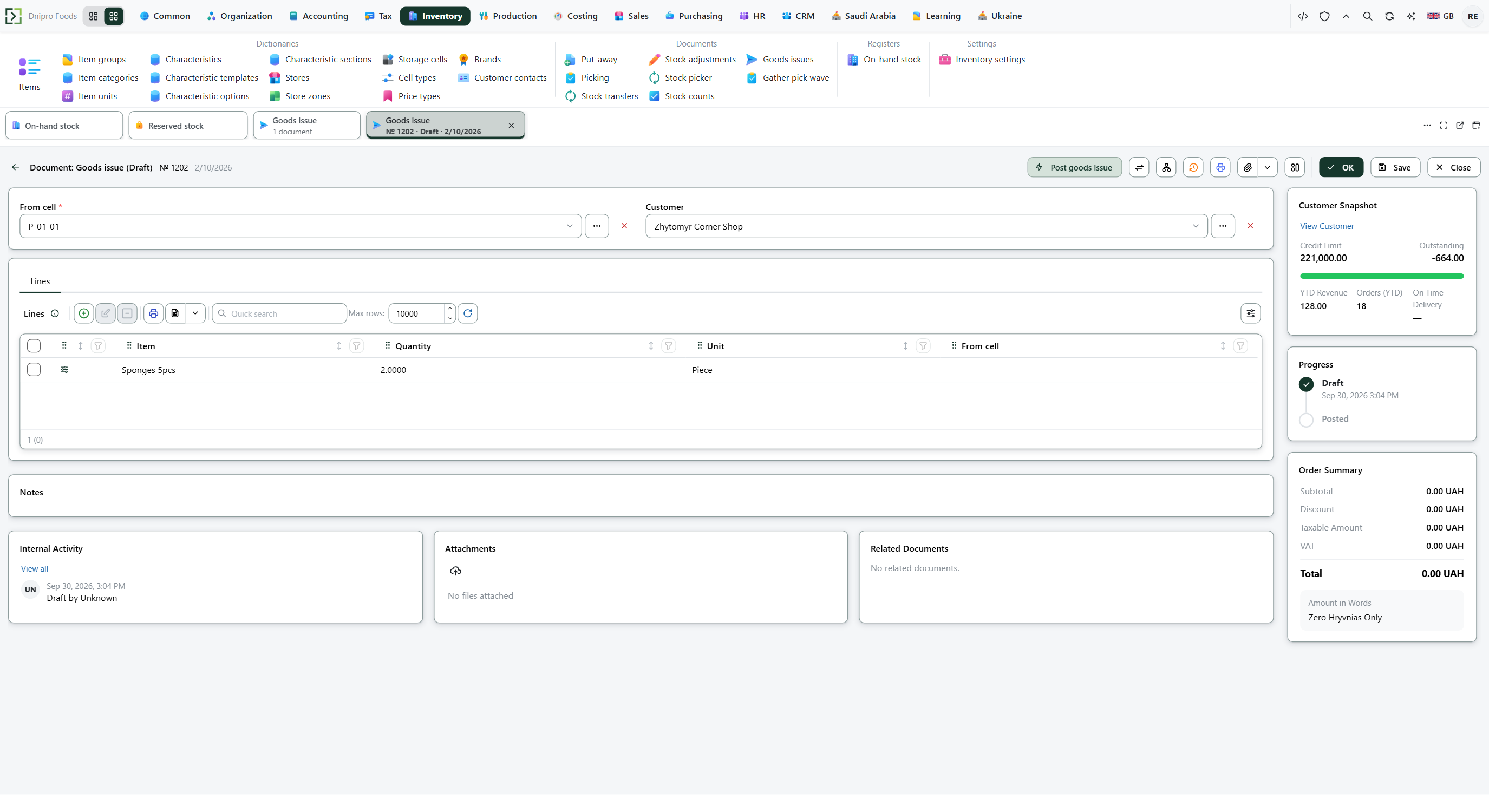 Goods issue draft: free balance is checked before posting and before the quantity is raised. The product is in English.
The state on the card does not post the document. Post goods issue does.
Example
The cell holds 10. Other documents reserve 8. Free balance is 10 − 8 = 2.
A later take of 4 is refused. A take of 2 posts:
Before After On-hand 10 8 Reserved 8 8 Free 2 0 This pick task's own draft hold of 4 stays available to this task: Confirm pick takes its 4 even when the reserved total is 10.
Tip
Allow backorder and Confirm order on submit live on Sales → Settings → Sales settings. What Approve order writes is on Approve an order. Enforce warehouse tasks on Inventory settings changes whose cells that check adds together — the rest of that flag is on Choose a shipment scheme. A stock count reads on-hand and leaves reserved quantity inside that total.
If the command refuses#
| What you see | What to do |
|---|---|
| Reserved stock has no row for the item and cell | Nothing holds that item and cell, or the hold is already gone. Widen the period. Free balance equals on-hand Qty. |
| On-hand Qty is 10 and reserved Qty is 8 | Free balance is 2. A quantity of 4 is refused. A quantity of 2 posts, and on-hand becomes 8. |
| The command says 4 is required and 2 is free | The document asked for 4 and free balance is 2. Lower the quantity, receive more stock, or release the other hold. The same sentence is used by Post transfer, Post adjustment, Post purchase return, Confirm pick, Confirm put-away, and Issue realization. |
| Confirm pick says 4 is required and 0 is free | Another document still holds the remaining on-hand quantity. This task's own draft hold stays available to this task. |
| Issue realization for 4 is refused while on-hand is 10 | A draft pick of another document holds 8, so free balance is 2. An invoice of 2 posts and leaves on-hand 8. A pick linked to this invoice's sales order is available to that invoice: on-hand 10 and that pick of 8 lets an invoice of 8 post and leaves 2. |
| Approve order leaves the order Submitted | Allow backorder is off and free balance, plus purchase orders due on or before the delivery date, is below the line. The tested case is on-hand 5, an approved order of 4, and a second order of 3. Lower the quantity, or turn Allow backorder on. See Approve an order. |
| A stock count posted into reserved quantity | The count reads on-hand Qty and leaves reserved Qty inside that total. See Count stock. |
See also