Count stock
Updated
Use a stock count when you have counted what is in a cell. Post stock count posts the difference between Counted qty and the quantity on hand.
Note
Counted qty is the quantity found. A matching count posts nothing. A higher count adds stock; a lower count writes stock off. Customer and supplier debt stay as they are. The comparison uses the quantity on hand at posting — Count date dates the movement; it does not look up the balance on that date. A quantity entered with a plus or a minus is a stock adjustment.
How to#
To count stock, open Ribbon → Inventory → Documents → Stock counts.
Press New. The card opens in Draft. Fill Cell and Count date. On Lines, enter Item and Counted qty. Counted qty is the quantity you found. Enter 0 when the cell has none of that item. Fill Unit when the count is not already in the item's base unit. Leave the line Cell empty to compare with the header Cell. Fill the line Cell when that line counts another cell.
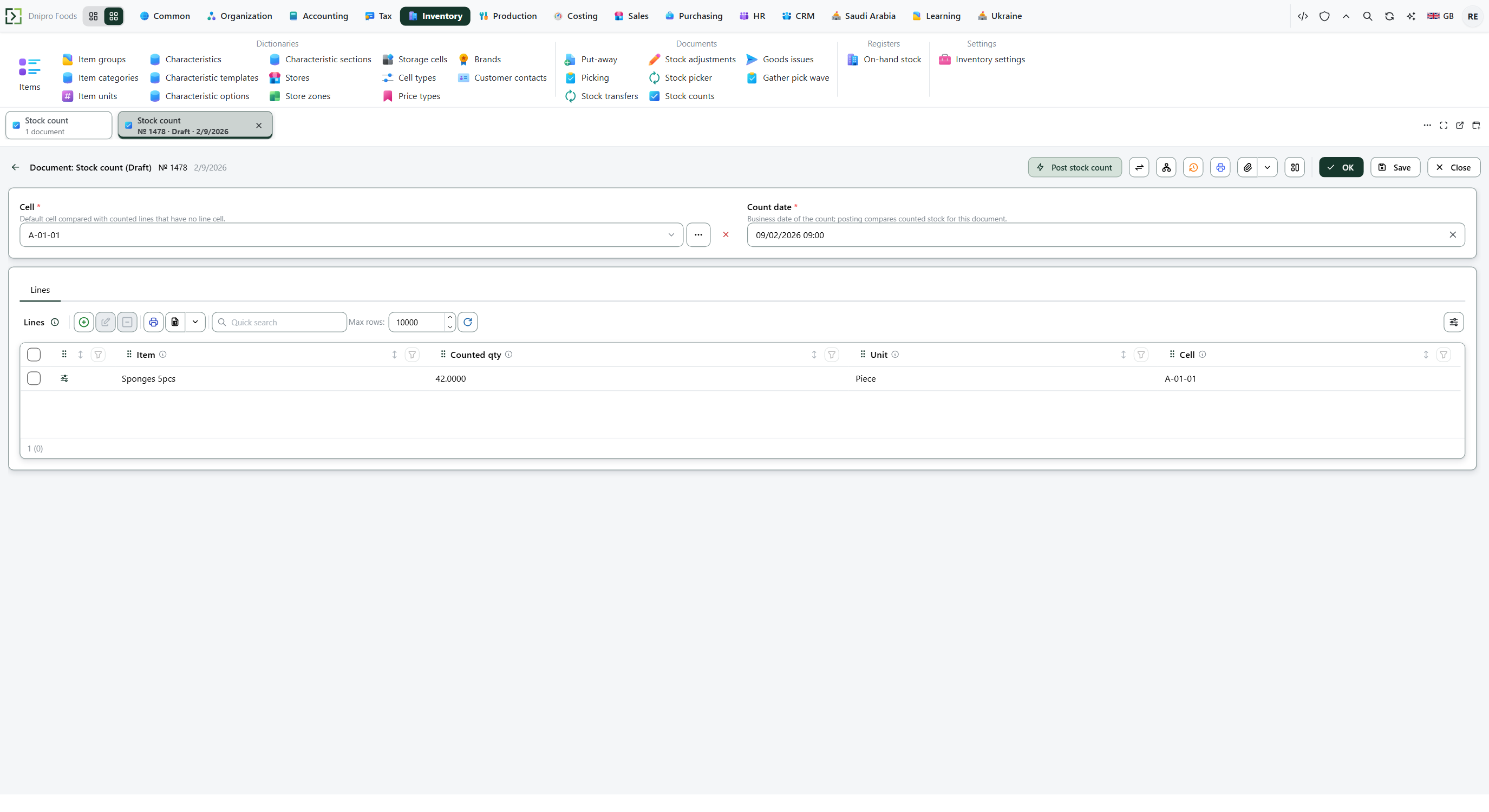 Stock count card: cell A-01-01, count date 09/02/2026, and a counted quantity of 42 for Sponges 5pcs are visible before posting. The product is in English.
Press Save. The card receives a Number and stays Draft. Stock stays as it was.
Then press Post stock count. The state becomes Posted. The counted cell changes by Counted qty in the base unit minus the quantity on hand. The command says the stock count is posted.
The state on the card does not post the document. It changes when you press Post stock count. Until you press it, the document stays Draft, however many times you save. Post stock count is on Draft only. Saving a Posted document posts again.
Example
The header cell holds 10. A line cell holds 4. You count 7 on the line cell. The difference is 7 − 4 = 3 added there.
After Post stock count:
Before After Header cell 10 10 Line cell 4 7 A count of 10 on a cell that already holds 10 posts nothing: the difference is 0.
Tip
A count does not read Enforce warehouse tasks or Shipment scheme. No put-away task and no pick task are created. Journal lines need accounting settings and a legal entity on the header Cell; without those, stock still changes and no journal line is written.
If the command refuses#
| What you see | What to do |
|---|---|
| The command says the stock count is empty: add lines | Add a line on Lines. The card stays Draft. |
| The command says every line must have an item | Fill Item on every line. |
| The command says the counted quantity cannot be negative | Enter 0 for an empty cell. A negative Counted qty stays Draft. |
| Stock did not change | Counted qty matched the quantity on hand, so the difference was 0. A cell that holds 10 and a count of 10 stays 10. |
| Stock changed in the header Cell | The line Cell was empty, so the line used the header Cell. Fill the line Cell before Save when the line counts another cell. |
| The count used the last saved lines | Post stock count reads the saved document. Save after you change Counted qty, Unit, or Cell. |
| You expected a reserved quantity to block the count | The count reads the quantity on hand and does not subtract reservations. On-hand 10 with 8 reserved: a count of 4 becomes Posted and leaves 4. |
| You expected customer or supplier debt to change | Use a sales or purchasing document. This document changes stock. |
See also