Set the tax regime
Updated
Choose how this Ukrainian legal entity charges VAT (ПДВ) and single tax (єдиний податок). One database can hold a limited liability company on VAT and several sole proprietors on single tax. The switch is on the legal entity, not in global settings.
Note
An empty Tax regime (Ukraine) means VAT payer (general system). That entity still charges VAT (ПДВ).
How to#
To set the regime, open Ribbon → Organization → Dictionaries → Legal entities. Open the company. Set Tax regime (Ukraine). Save.
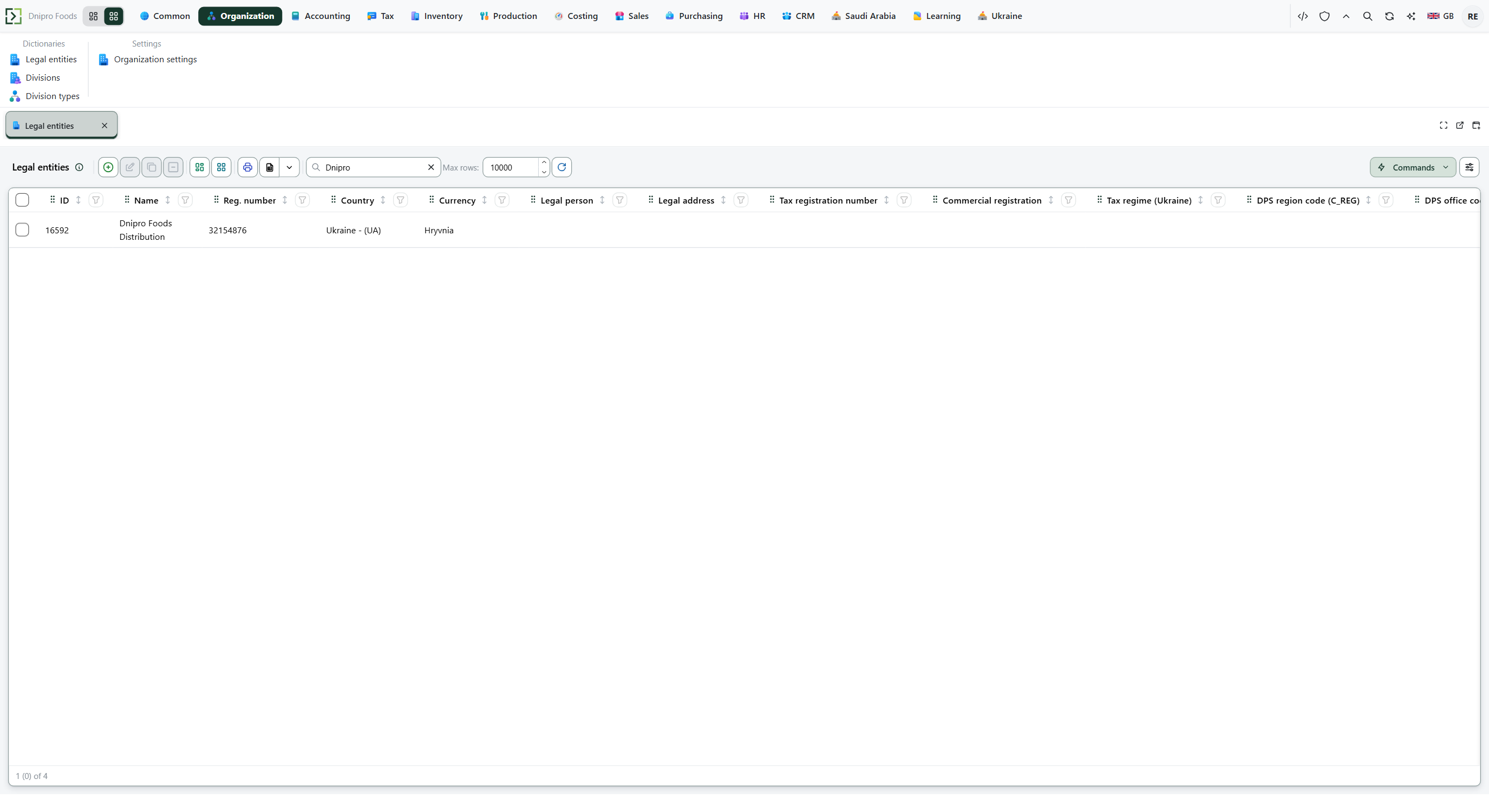 Legal entities list. Open the company and set Tax regime (Ukraine). The product is in English.
| What to choose | VAT (ПДВ) on sales realizations | Single tax |
|---|---|---|
| VAT payer (general system) | yes | no |
| Simplified 3% with VAT | yes | 3% of income excluding VAT |
| Simplified 5% without VAT | no | 5% of all received amount |
| General system, not a VAT payer | no | no |
There is no post button on the legal entity. Save stores the regime. VAT (ПДВ) and single tax then follow on the next payment or shipment.
When you set Simplified 5% without VAT or General system, not a VAT payer, the package maps this legal entity to UA-E itself. Return to VAT payer (general system) or Simplified 3% with VAT, and that mapping is disabled.
Open Ribbon → Ukraine → Dictionaries → Single tax revenue limit for the annual cap: one row per year, Code for the year, Limit for the amount. Exceed it and the excess goes at 15%; from the first day of the month after that quarter, a job moves the legal entity to the general system. Empty or zero Limit means the excess is not computed.
Example
You ship ₴100 on Simplified 5% without VAT. With Exempt VAT (no-VAT regimes)
UA-E, the ledger tax is 0. Leave that code empty, and the shared engine still takes 20%: 100 × 20% = 20, although the regime has no VAT (ПДВ).
Exempt code UA-EExempt code empty Shipment 100 100 Ledger VAT 0 20
Tip
Then open Ribbon → Ukraine → Settings → Ukraine settings. For a no-VAT regime, pick Exempt VAT (no-VAT regimes) — tax code
UA-E. The row code is filled on save; you do not type it. Check Single tax 3% (with VAT) (UA-EP3) and Single tax 5% (without VAT) (UA-EP5) when that legal entity is on simplified tax. The 15% code is Single tax 15% (over the limit) (UA-EP15). Leave Exempt VAT (no-VAT regimes) empty, and the shared tax engine takes the default code, usually 20%, even though the regime has no VAT. If all four codes on the card are still empty while Ukrainian rates are installed, the system fillsUA-E,UA-EP3,UA-EP5, andUA-EP15itself; after that it never overwrites them. Filing a return is a later document — Export Ukrainian tax forms.
If the command refuses#
| What you see | What to do |
|---|---|
| The ledger shows 20% VAT (ПДВ) on a no-VAT regime | Fill Exempt VAT (no-VAT regimes) with UA-E on Ukraine settings, Save, then release the next sales realization. A mapping you already disabled stays disabled until you set it again. |
| No tax invoice after you release a sales realization | The paying regimes are VAT payer (general system) and Simplified 3% with VAT. Check Tax regime (Ukraine) on this legal entity. |
| You looked for the regime in Ukraine settings | The regime is on the legal entity. Ukraine settings holds the codes, not the choice of payer. |
| A second legal entity still charges VAT after you changed the first | Each legal entity has its own Tax regime (Ukraine). Open that company and set it. |
See also
Same topic for other readers: Developer