File a tax return
Updated
Build a return from a tax period and file it. Paying the tax is a later, separate document.
Note
File tax return does not pay the tax. Paying is a later tax payment. The return stays Filed. Receipt on Authority submissions starts with MOCK-OK or MOCK-REJECT. A mock rejection does not unfile the return.
How to#
To file a return, open Ribbon → Tax → Dictionaries → Tax periods.
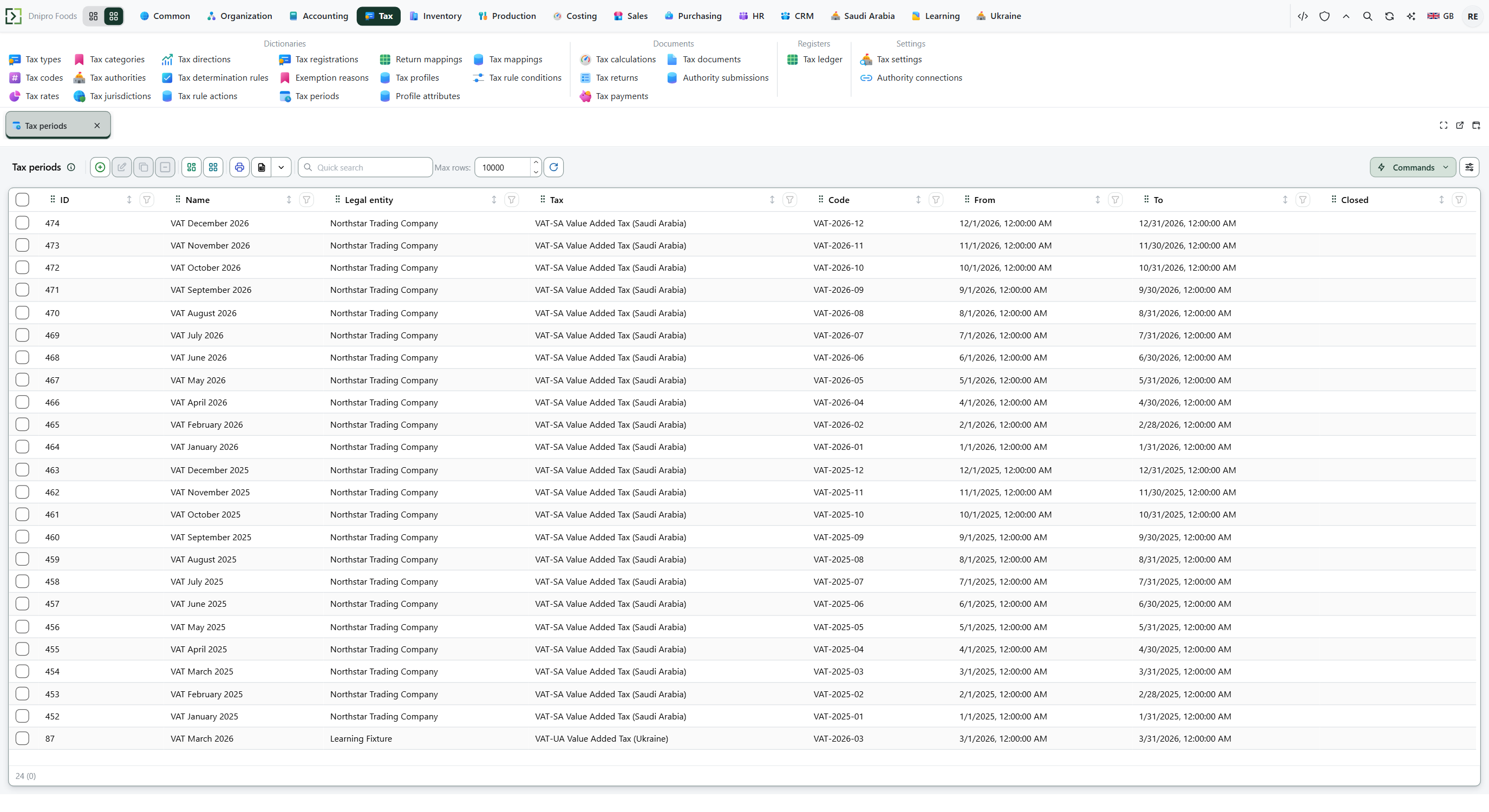 Tax period list: choose the period that owns the legal entity and date range for the return. The product is in English.
Open the period. Check Legal entity, Tax, From, To, and Closed. Closed must be off.
Press Build return. A Tax return card opens in Draft. The header shows Output tax, Input tax, and Net payable. Lines shows Tax code, Direction, Tax amount, and Return box.
The return is not filed yet. Save if the card is still unsaved, then press File tax return. The state becomes Filed.
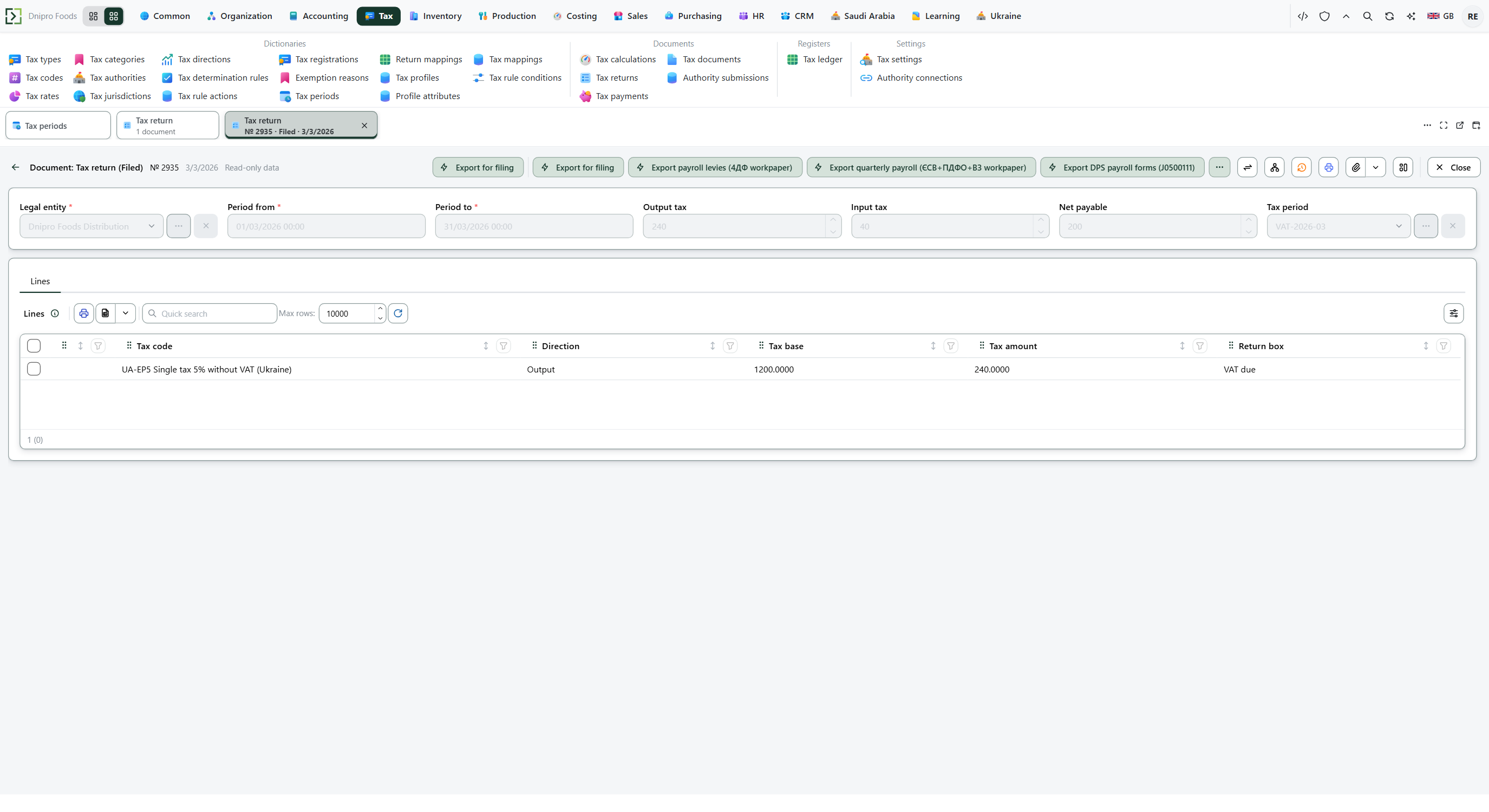 Filed tax return: the header totals are frozen and the lines show the boxes built from Return mappings. The product is in English.
The state on the card does not file the return. Only File tax return does. Until you press it, the return stays Draft, however many times you save.
Open Ribbon → Tax → Documents → Authority submissions. A row appears for this return. Read Receipt.
To pay, use Pay a tax. The return stays Filed. The payment does not attach to the return number.
Example
You sold 1,000 at 15%. Output tax is 1,000 × 15% = 150.
You bought 600 at 15%. Input tax is 600 × 15% = 90. Forty percent of that 90 is not recoverable, so recoverable input is 54. Net payable is 150 − 54 = 96.
Build return. The header shows output 150, input 54, and net payable 96. A later tax payment line of 96 is the amount to pay.
After the books After Build return Output tax 150 150 Recoverable input 54 54 Net payable — 96
Tip
Build return is on the tax period, not on the return. Do not press New on Tax returns. If you closed the draft, open Ribbon → Tax → Documents → Tax returns and file from there.
If the command refuses#
| What you see | What to do |
|---|---|
| The command says the tax period is closed and a new return cannot be built | Closed is on. Use an open period, or turn Closed off if the process allows it. |
| The command names another closed period and its dates | That closed period of this legal entity overlaps From–To. |
| The return opens with zero totals | No tax movement matches this legal entity and From–To. Check the source documents and the dates. A period with no movements still builds a zero return. |
| The command asks for the legal entity of the return | Fill Legal entity, Save, and press File tax return again. |
| File tax return is not on the card | The return is already Filed, or you are still on the period. Open the Tax return and file from there. |
| Receipt starts with MOCK-REJECT | The return stays Filed. The mock refused. Check Mock reject on Ribbon → Tax → Settings → Authority connections. |
See also
Same topic for other readers: Analyst