Check the general ledger
Updated
Open the general ledger layout and read the debit and credit that posted documents already wrote.
Note
A journal entry is only a manual correction. Sales realizations, purchase orders, payments, and other business documents write the ledger themselves. To post a correction, use Post a journal.
How to#
To check the ledger, open Ribbon → Accounting → Registers → General ledger. The report builder opens.
Keep the delivered layout GL by legal entity and account, or group by Legal entity and Account. Press Build.
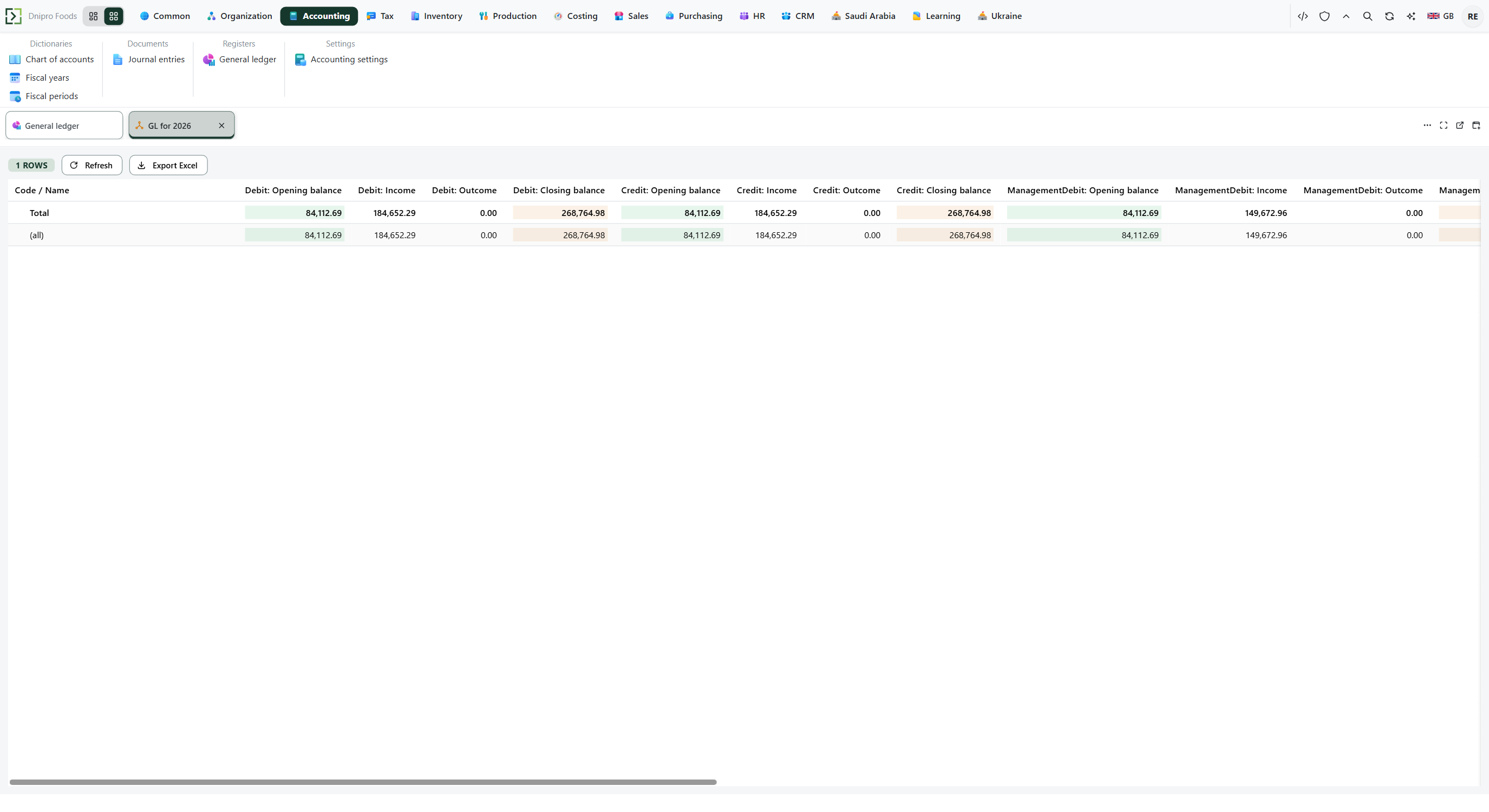 General ledger view: rows are grouped by legal entity and account with debit and credit columns. The product is in English.
Rows are grouped by legal entity, then account, with debit and credit columns. A row whose debit and credit for the period are both zero is hidden.
Read the row for the source document's legal entity and account. A released sales realization normally shows receivables on debit and revenue or VAT on credit. A payment shows the opposite side of that liability and cash.
The date on a ledger line is the document date, not the day you pressed the posting button.
Example
You received goods of 100. Recoverable tax is 15. The supplier is owed 100 + 15 = 115.
Paying 115 then shows payables turnover on both sides. The row remains because this layout is turnover, not an open-item list.
After the receipt After paying 115 Inventory closing debit 100 100 VAT recoverable closing debit 15 15 Payables credit 115 turnover 115 on both sides
Tip
If a payment has no Legal entity, the debt still moves and the ledger does not. Empty accounting accounts skip a ledger line the same way. Do not open Journal entries to find a sale. To post a balanced correction, Post a journal.
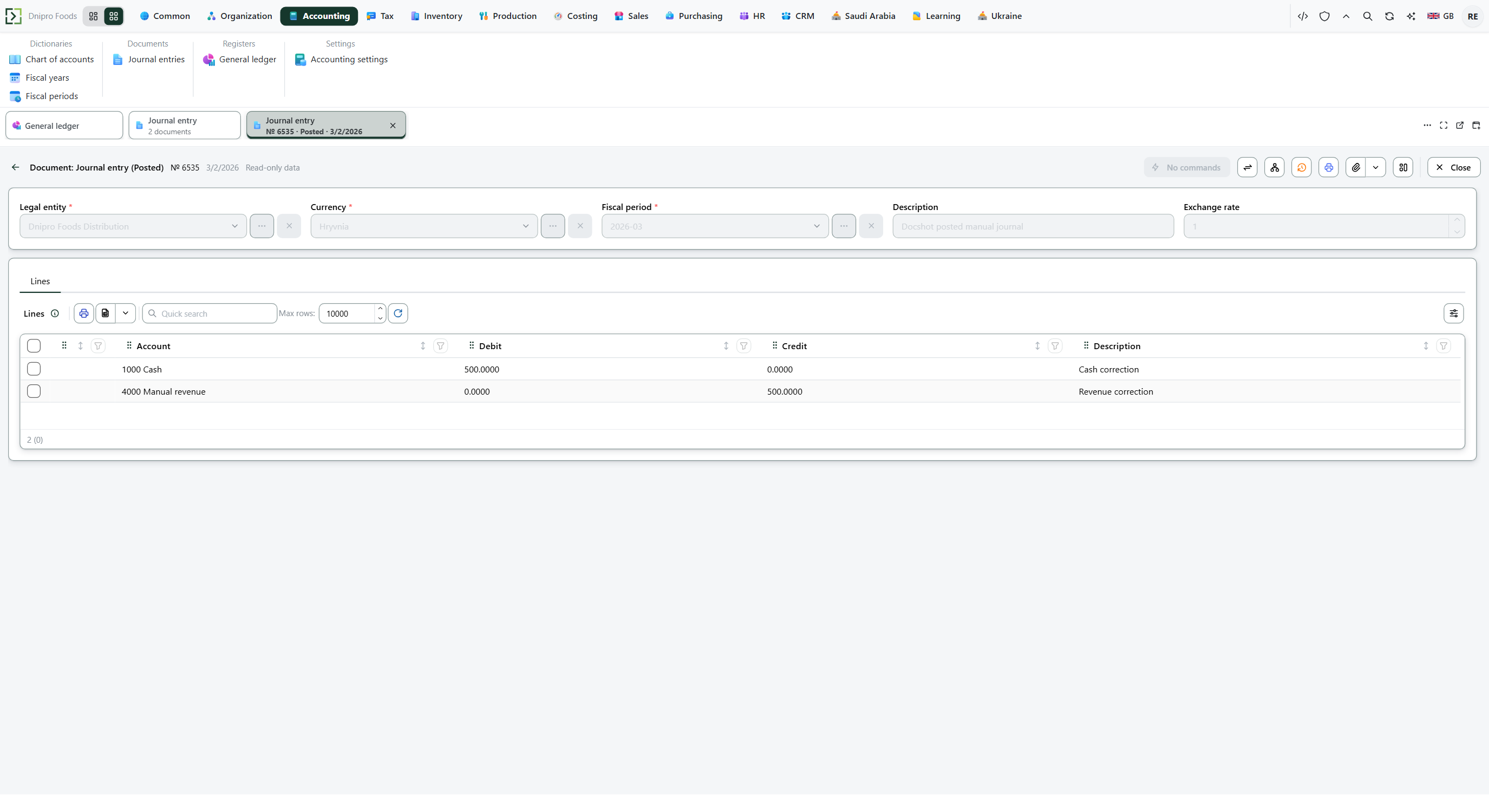 Posted journal entry: the correction is balanced and the document is no longer a draft. The product is in English.
If the command refuses#
| What you see | What to do |
|---|---|
| The ledger view is empty | Widen the period. Check that the source document is posted. The layout hides a row whose debit and credit closing values are both zero. |
| You expected a sale and there is no row | The sales realization is not Released. Approving an order does not write the ledger. |
| You expected a purchase and there is no row | The purchase order is not Received. |
| You opened Journal entries to find a sale | That list is only manual entries. Return to General ledger, or post a correction with Post a journal. |
See also