Create a sales contract
Updated
Create a sales contract when a customer is stored and you are ready to sell. A sales order requires a contract.
Note
Save on the contract posts nothing: no debt, tax, or stock. The invoice is what writes those. The list on the ribbon is Sales contracts, not Customer contracts. The customer is a separate card — Create a customer. The full path is Customer onboarding.
How to#
To create a contract, open Ribbon → Sales → Dictionaries → Sales contracts.
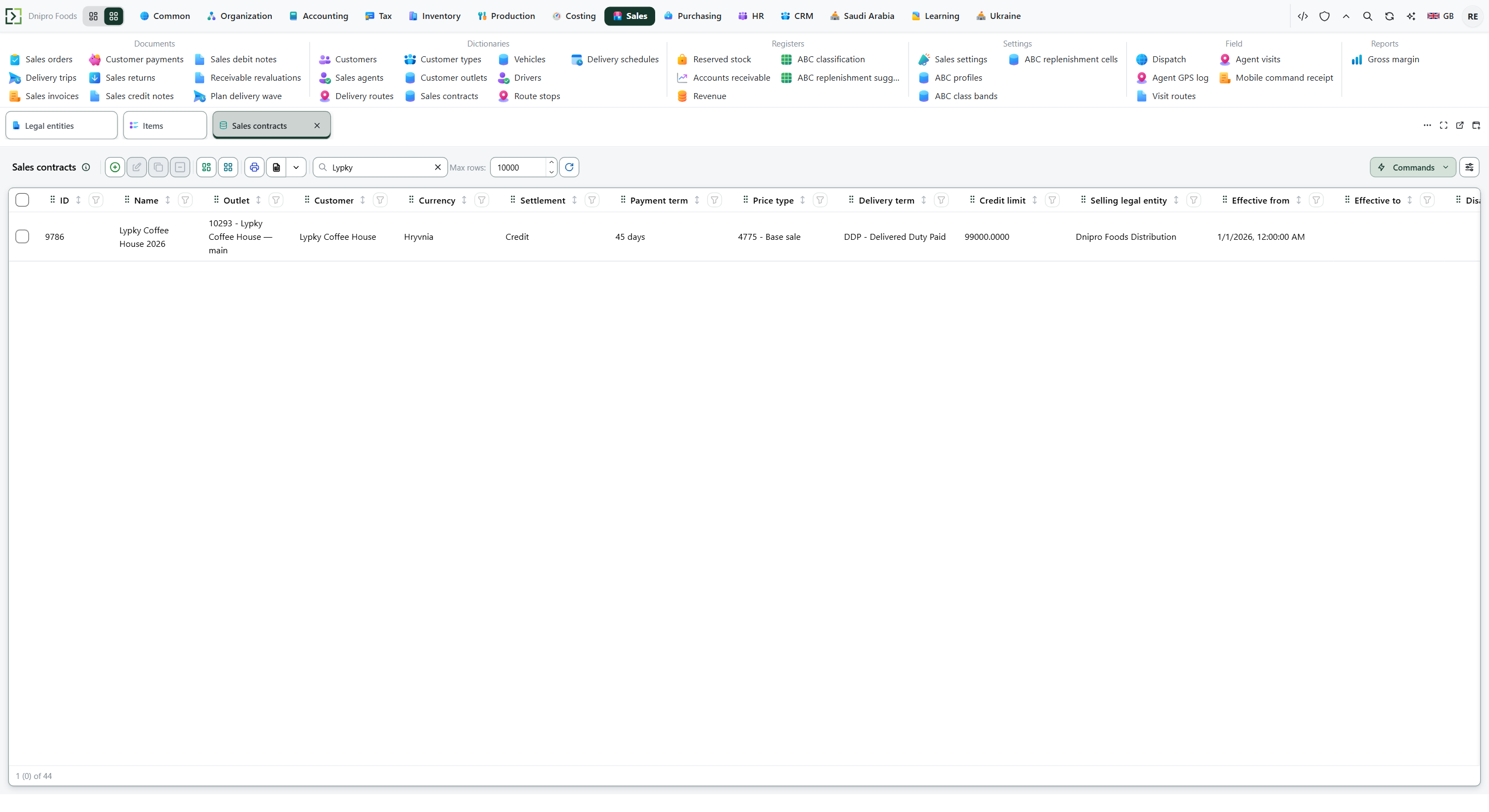 Sales contracts list: the search shows Lypky Coffee House. The product is in English.
Press New. Fill Customer, Name, Currency, Settlement, and Effective from. Save. The contract is in the list, and ID is issued and read-only.
Settlement is Credit, Prepaid, or CashOnDelivery. Effective from is already today. Currency is already filled when Default currency is set in Common settings. Selling legal entity is filled only when Default legal entity is set in Organization settings. How those defaults are set is in Customer onboarding.
Payment term, Delivery term, Price type, Credit limit, and Effective to can wait. Leave Disabled off.
Leave Contract outlets empty and the contract covers every outlet of that customer. Add a row and the contract covers only those outlets. Each outlet belongs to the same customer.
Then open Ribbon → Sales → Documents → Sales orders. On a new order, pick this Customer and this Contract.
Example
Customer Podil Grocery is already stored.
- Customer Podil Grocery
- Name Podil Grocery standard
- Settlement Credit
- Currency already filled
- Effective from already filled
Save. The list shows the contract. A sales order can name it. Debt is still zero.
Tip
Empty Selling legal entity still saves. Several live contracts on one customer are allowed: the sales order names which one.
If the command refuses#
| What you see | What to do |
|---|---|
| The save says to fill Name | Fill Name. |
| The save says to pick Customer | Pick Customer. |
| The save says to pick Currency | Pick Currency, or set Default currency under Ribbon → Common → Settings → Common settings. |
| The save says to pick Settlement | Pick Settlement: Credit, Prepaid, or CashOnDelivery. |
| The save says to fill Effective from | Fill Effective from. A new card already has today. |
| The save lists several required fields | Fill each field the message names. |
| The save says to choose the customer the contract is signed with | Pick Customer. |
| The save says the effective window is backwards: start is after end | Make Effective to the same day as Effective from, or later. |
| The save says an outlet in Contract outlets belongs to another customer | Remove that row from Contract outlets, or pick an outlet of this Customer. |
| The sales order says the contract is missing or invalid | Pick a Contract of this customer that is active on the delivery date. |
| You expected debt after Save | Debt waits for the sales realization. |
See also