Pay a tax
Updated
Pay an amount already on the books to the tax authority. Filing the return is a different document and stays as it was.
Note
Pay tax does not file the return and does not attach to a return number. The return stays Filed. Building and filing are File a tax return.
How to#
To pay a tax, open Ribbon → Tax → Documents → Tax payments.
Press New. The card opens in Draft. Fill Legal entity when the payment should write the ledger. On Lines, add Tax code and Amount. Save. The card receives a Number and stays Draft. Cash and VAT payable stay as they were.
Then press Pay tax. The state becomes Paid. The return is unchanged. If Legal entity is filled and accounting settings name VAT payable account and Cash account, the ledger falls on payable and cash by the line total. Empty Legal entity still pays; the ledger is not written. Debt on sales realizations stays as it was.
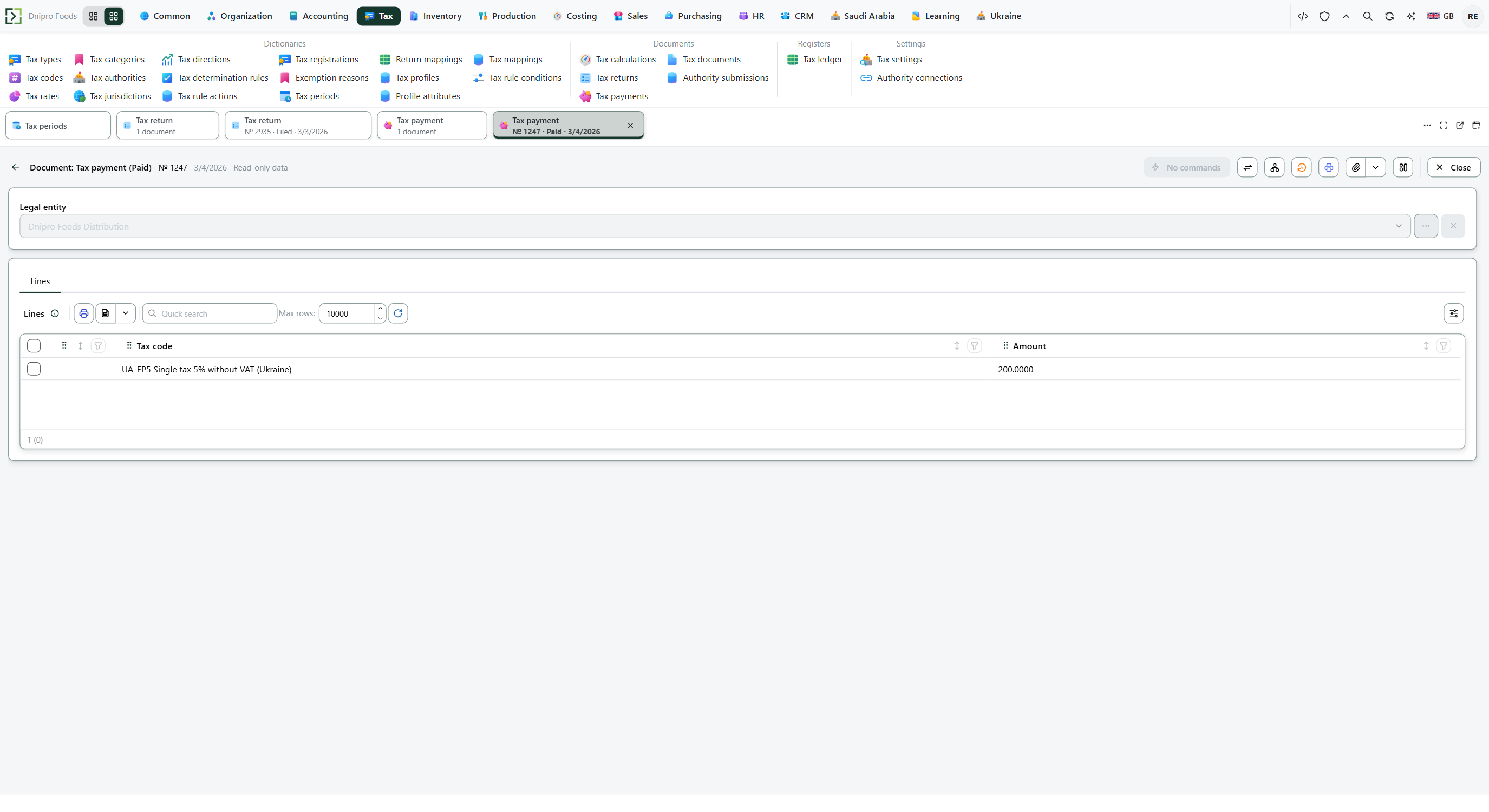 Paid tax payment: the payment is a separate document and the return stays Filed. The product is in English.
The state on the card does not pay the tax. Only Pay tax does. Until you press it, the document stays Draft, however many times you save.
Example
You sold 1,000 at 15%. Output tax is 1,000 × 15% = 150.
You bought 600 at 15%. Input tax is 600 × 15% = 90. Forty percent of that 90 is not recoverable, so recoverable input is 54. Net payable is 150 − 54 = 96. Put Amount 96 on the line.
Pay tax. The payment is Paid. The return stays Filed. Cash and VAT payable fall by 96 when Legal entity is filled.
After the books After Pay tax Output tax 150 150 Recoverable input 54 54 Net payable 96 96 paid Return Filed Filed
Tip
Do not press New on Tax returns to pay. Open this list, or finish filing first on File a tax return. Several lines can name several tax codes on one payment. VAT payable account and Cash account are on Set ledger accounts. To read the ledger rows, check the general ledger.
If the command refuses#
| What you see | What to do |
|---|---|
| The command says the payment is empty | Add a line with Tax code and Amount. |
| The command says the amount must be greater than zero | Enter a positive Amount on every line. |
| The command says to fill the payment lines | Add at least one line before Pay tax. |
| No ledger line appears after Pay tax | Fill Legal entity, or pick VAT payable account and Cash account on Set ledger accounts. The payment is still Paid. |
| Pay tax is not on the card | The document is not Draft, or it is already Paid. |
See also
Same topic for other readers: Developer