Issue goods
Updated
Use a goods issue when stock must leave a cell without a sale. Post goods issue takes the quantity out of the cell.
Note
Posted is the only state that takes stock out. A filled Customer does not open a debt. A sale that must bill the customer is a sales realization.
How to#
To issue goods, open Ribbon → Inventory → Documents → Goods issues.
Open a draft, or press New. Fill From cell. Fill Customer when the name should appear on the card. Add Lines: Item, a positive Quantity, and Unit when you are not entering the item's base unit. Leave the line From cell empty to issue from the header cell. Fill the line From cell when that line leaves a different cell.
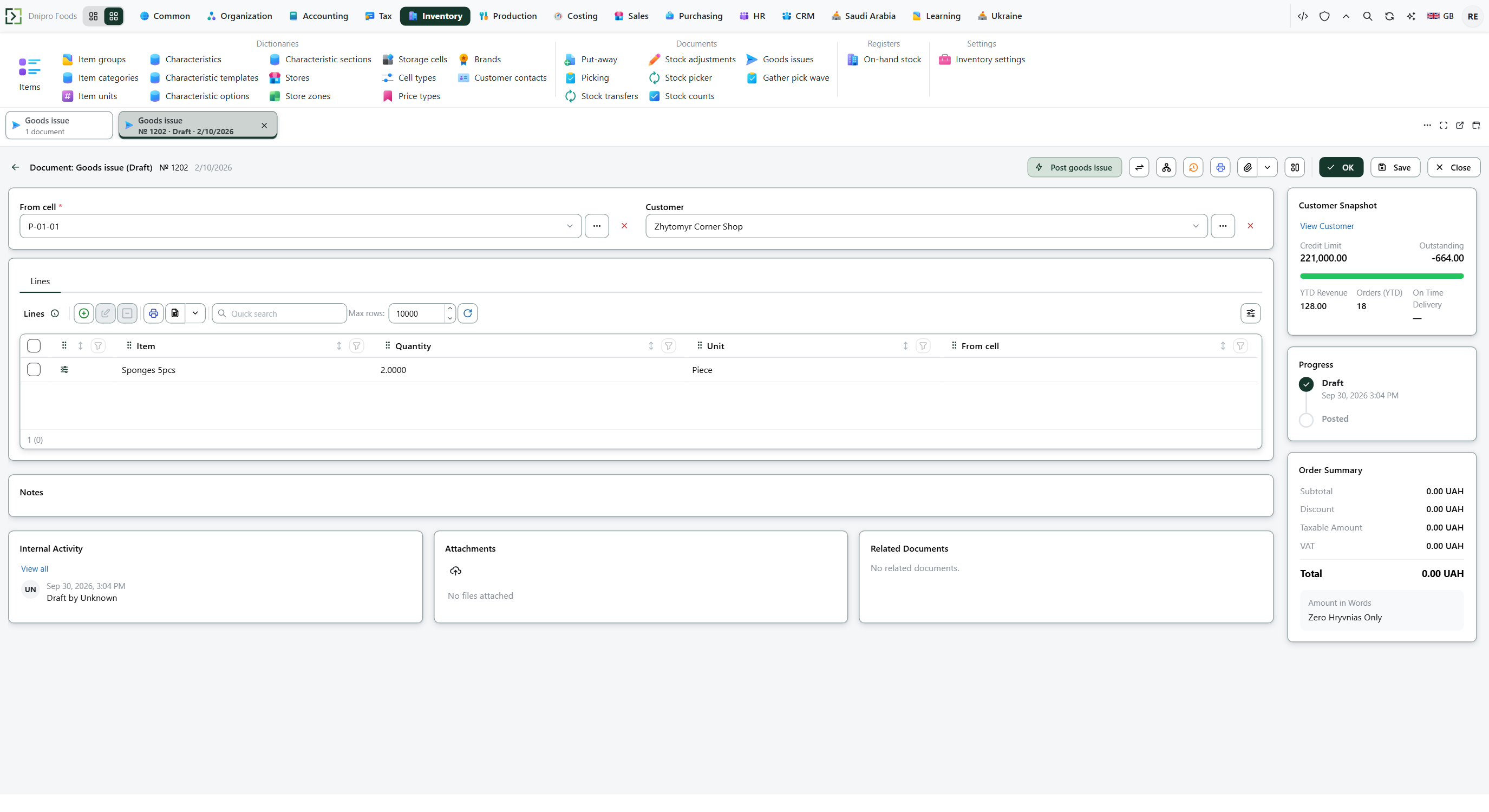 Goods issue card: the source cell and the issue lines are visible before posting. The product is in English.
Press Save. The card receives a Number and stays Draft. Stock stays where it is.
Then press Post goods issue. The state becomes Posted, and the card is read-only. Stock leaves the cell the line uses.
The state on the card does not post the document. Only Post goods issue does. Until you press it, the document stays Draft, however many times you save.
Example
The header cell holds 10. A second cell holds 3. The line issues 3 from the second cell.
After Post goods issue:
Before After Header cell 10 10 Second cell 3 0
Tip
A goods issue does not read Enforce warehouse tasks or Shipment scheme. It does not check whether the cell is a picking cell. Journal lines need accounting settings and a legal entity on the header cell; without those, stock still leaves and no journal line is written.
If the command refuses#
| What you see | What to do |
|---|---|
| The command says the issue is empty | Add a line. |
| The command says the quantity must be greater than zero | Enter a positive Quantity on every line. |
| The command says the issue is above the balance of From cell | This message uses the header cell and the sum of the lines. It ignores a line From cell. The header cell needs that sum on hand. Stock then leaves the line cell when the line names one. |
| Posting says free stock is short | Another document has reserved that quantity. Lower Quantity to what is still free. |
| The card cannot be edited | The document is already Posted. |
See also