Return goods to a supplier
Updated
Send received goods back to the supplier, or reverse the input tax on that receipt. The original purchase order stays Received.
Note
A goods return takes stock out and reduces the net supplier debt. It does not reverse input VAT. A purchase credit note reverses the tax and does not move stock. Neither document changes the original purchase order. A payment is a separate document.
How to#
To return goods, open Ribbon → Purchasing → Documents → Purchase returns.
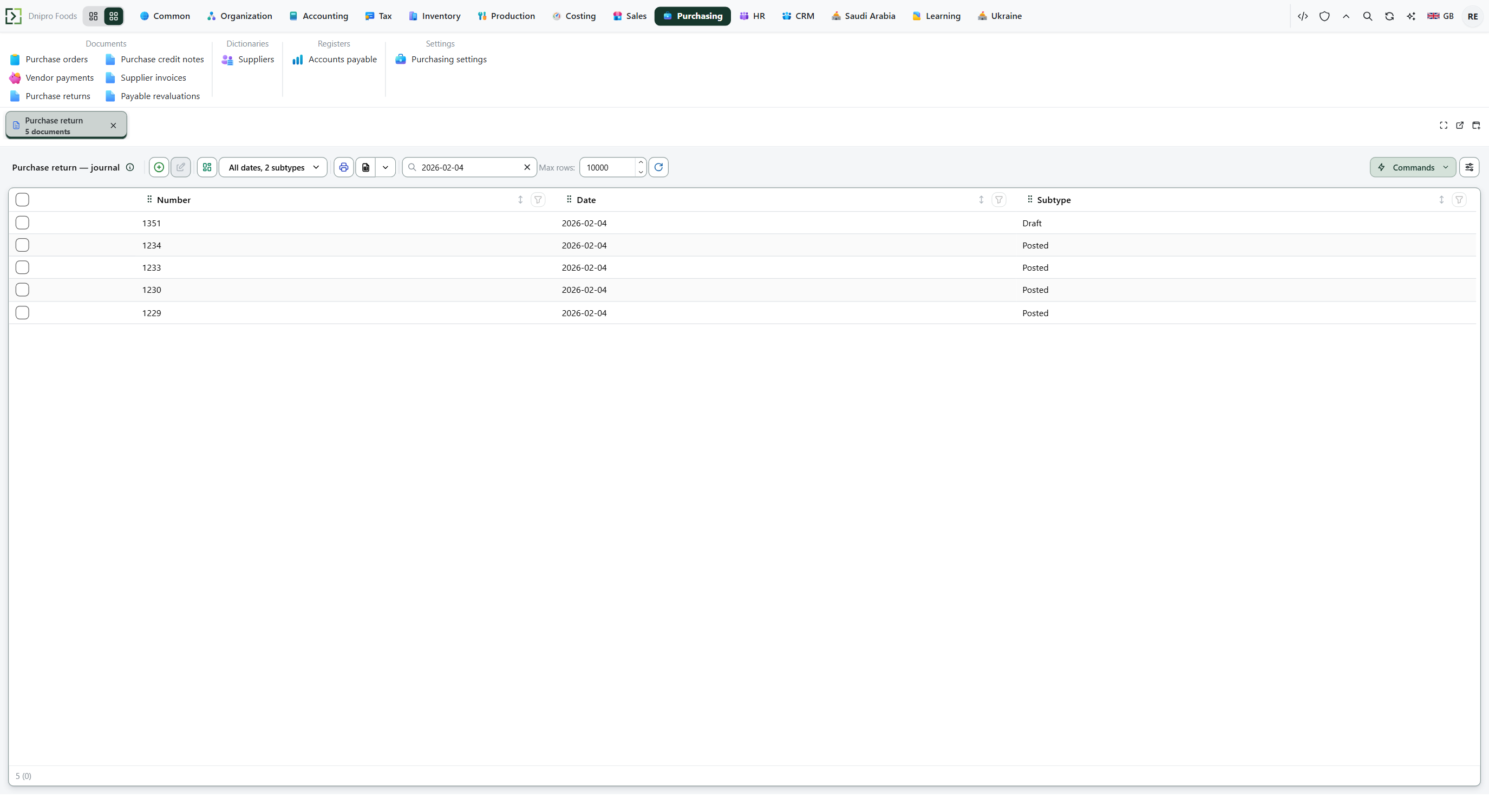 Purchase return list: posted returns and drafts are separate from purchase orders and credit notes. The product is in English.
Press New. Fill Original order when the return follows a received order, then Save. Empty Supplier, Return from, Supplier contract, and Lines are copied from that order. Lines you already entered are kept. Lower Quantity when you return only part of the receipt. With no order, fill Supplier, Return from, Item, Quantity, and Unit price yourself.
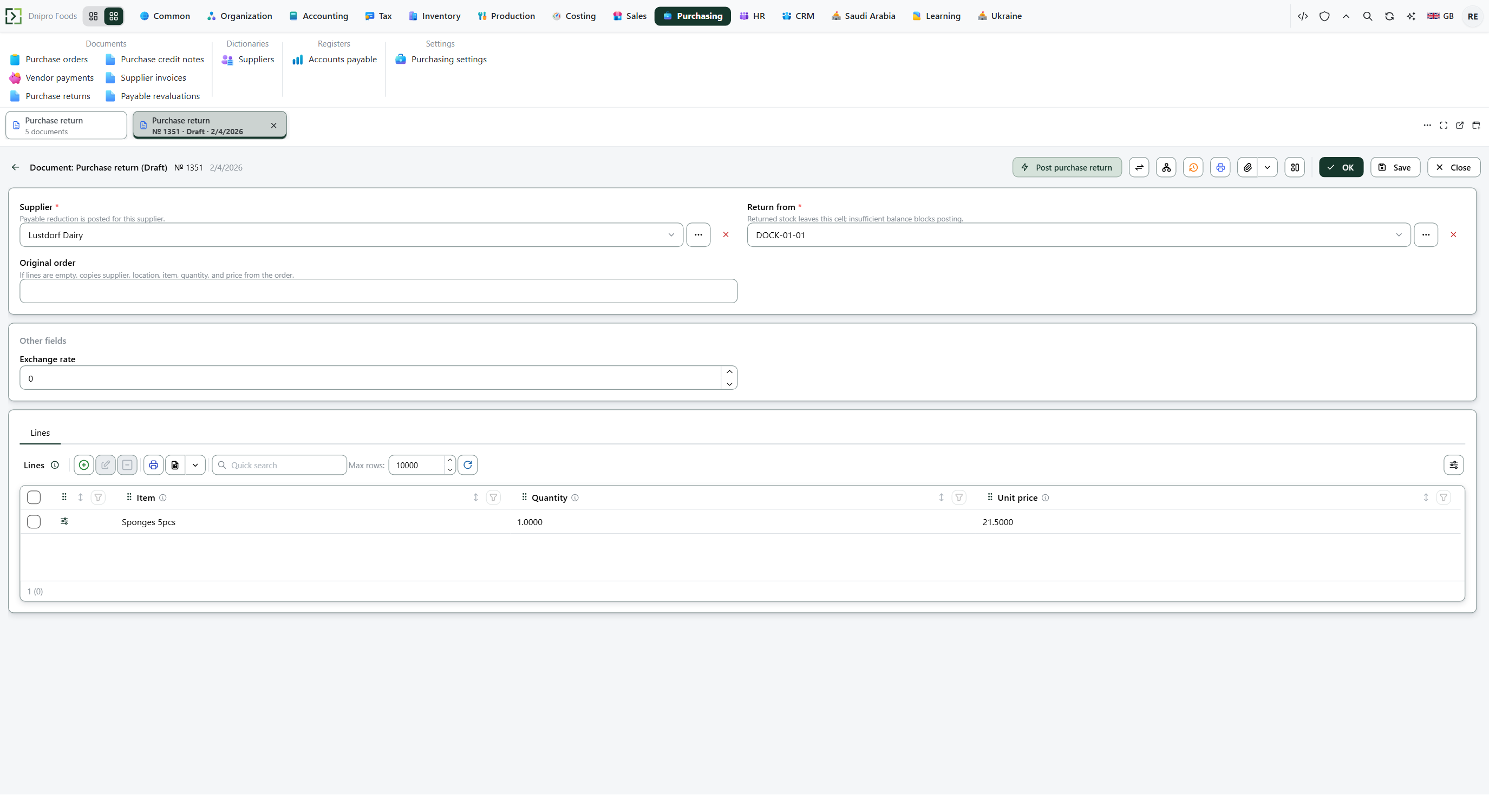 Filled purchase return draft: supplier, return cell, and return lines before posting. The product is in English.
Then press Post purchase return. The state becomes Posted. Stock decreases and the net supplier debt decreases. Input VAT stays. The purchase order stays Received.
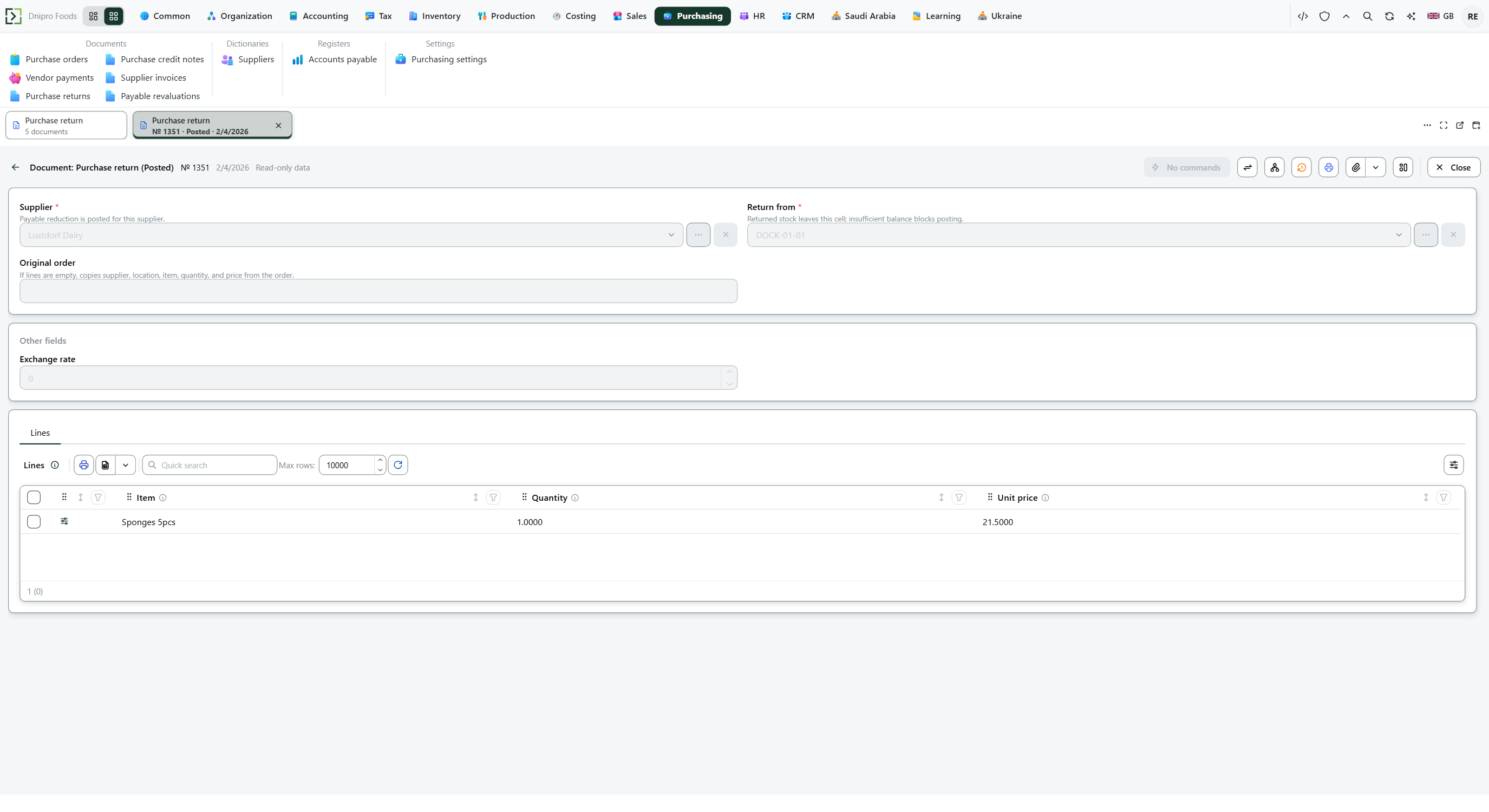 Posted purchase return: supplier, return cell, original order, and the returned lines. The state on screen is Posted.
To reverse input VAT, open Ribbon → Purchasing → Documents → Purchase credit notes. Press New. Fill Original order with the received order and Save. Applied tax rate is stamped from that receipt. Empty Supplier, Buying legal entity, Supplier contract, and Lines are filled from the order. Lines you already entered are kept. Lower Quantity when the credit covers only part of the receipt. Press Post purchase credit note. The state becomes Posted. The tax part of the supplier debt decreases. Stock does not change. The purchase order stays Received.
The state on the card does not post the document. Only Post purchase return or Post purchase credit note does. Until you press it, the document stays Draft, however many times you save.
Example
You received 4 pieces at 25, VAT 15%. Goods 100 plus tax 15: you owe 115. Stock is up 4.
Return all 4 pieces. Stock goes back. Goods debt falls by 100. Input VAT stays 15 — a return is not a credit note. Tax on those four is 4 × 25 × 15% = 15; post a purchase credit note as well when the tax must follow the goods back.
After the receipt Return 4 pieces Credit note on those 4 Return and credit note Pieces still in 4 0 4 0 Goods 100 0 100 0 Input VAT 15 15 0 0 You owe 115 15 100 0
Tip
Applied tax rate on the credit note is stamped from the receipt, including a supplier-specific mapping. It is not calculated again from today's default code. A physical return and a VAT credit are two postings: the system does not create one from the other. Money the supplier pays back is Receive a supplier refund.
If the command refuses#
| What you see | What to do |
|---|---|
| The command refuses an empty document | Add a line, or Save after filling Original order. |
| The command says the quantity must be greater than zero | Enter a positive Quantity. |
| The return says the supplier or the return cell is missing | Fill Supplier and Return from. |
| The return says the cell is short | Lower Quantity, or choose the cell that holds the goods. A return of 5 when the cell has 2 stays Draft. |
| The credit note asks for the original order | Fill Original order with the received purchase order. |
| The credit note says the order is not received | Receive the purchase order first. |
| The credit note says the receipt has no VAT | There is no tax to reverse. |
| The credit note says the supplier does not match the order | Choose the order's Supplier. |
See also