Post a journal
Updated
Use a journal entry when a posted document left the ledger wrong, or when no business document covers the amounts. Post journal entry writes a balanced debit and credit. Customer debt and supplier debt stay as they are.
Note
Saving a Draft leaves the ledger as it is. There is no unpost button: Posted is read-only. This document does not settle a sales realization and does not import a bank statement.
How to#
To post a journal, open Ribbon → Accounting → Documents → Journal entries.
Press New. The card opens in Draft. Fill Legal entity, Currency, and Fiscal period. Description can stay empty. On Lines, add the debit line: Account, Debit 100, Credit empty or 0. Add the credit line: the other Account, Debit empty or 0, Credit 100. Put the debit and the credit on separate lines.
Save. The card receives a Number and stays Draft. The general ledger stays as it was. Exchange rate is filled on save: 1 when Currency is the legal entity's currency.
Then press Post journal entry. The state becomes Posted. The card is read-only. Debit 100 and credit 100 write two ledger lines.
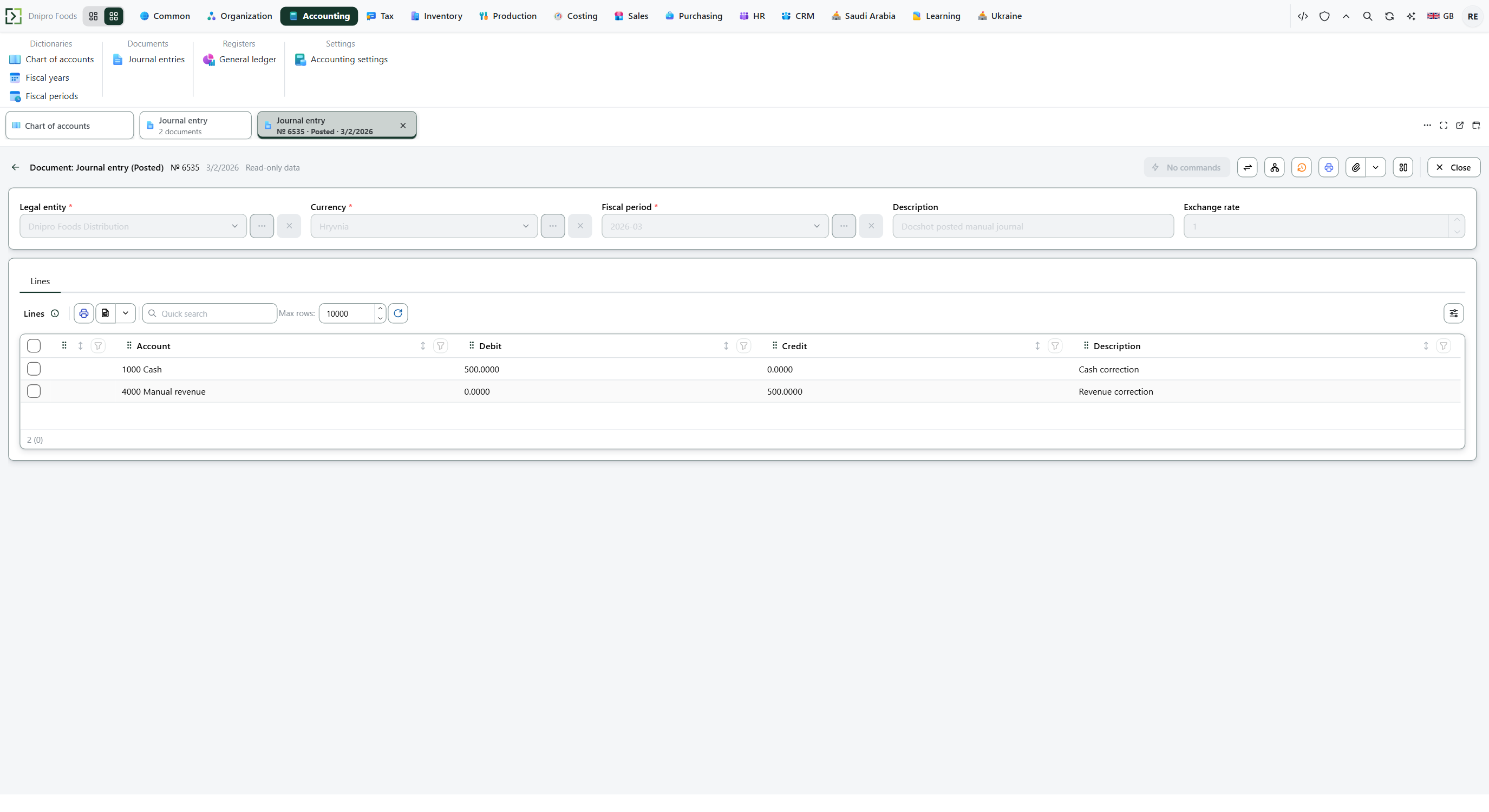 Posted journal entry № 0535, dated 3/2/2026, is read-only and shows no commands. Legal entity Dnipro Foods Distribution, currency Hryvnia, fiscal period 2026-03, description Docs-demo posted manual journal, exchange rate 1. 1000 Cash is debit 500.0000. 4000 Manual revenue is credit 500.0000. The product is in English.
The state on the card does not post the document. Only Post journal entry does. Until you press it, the entry stays Draft, however many times you save.
Open Ribbon → Accounting → Registers → General ledger. Press Build.
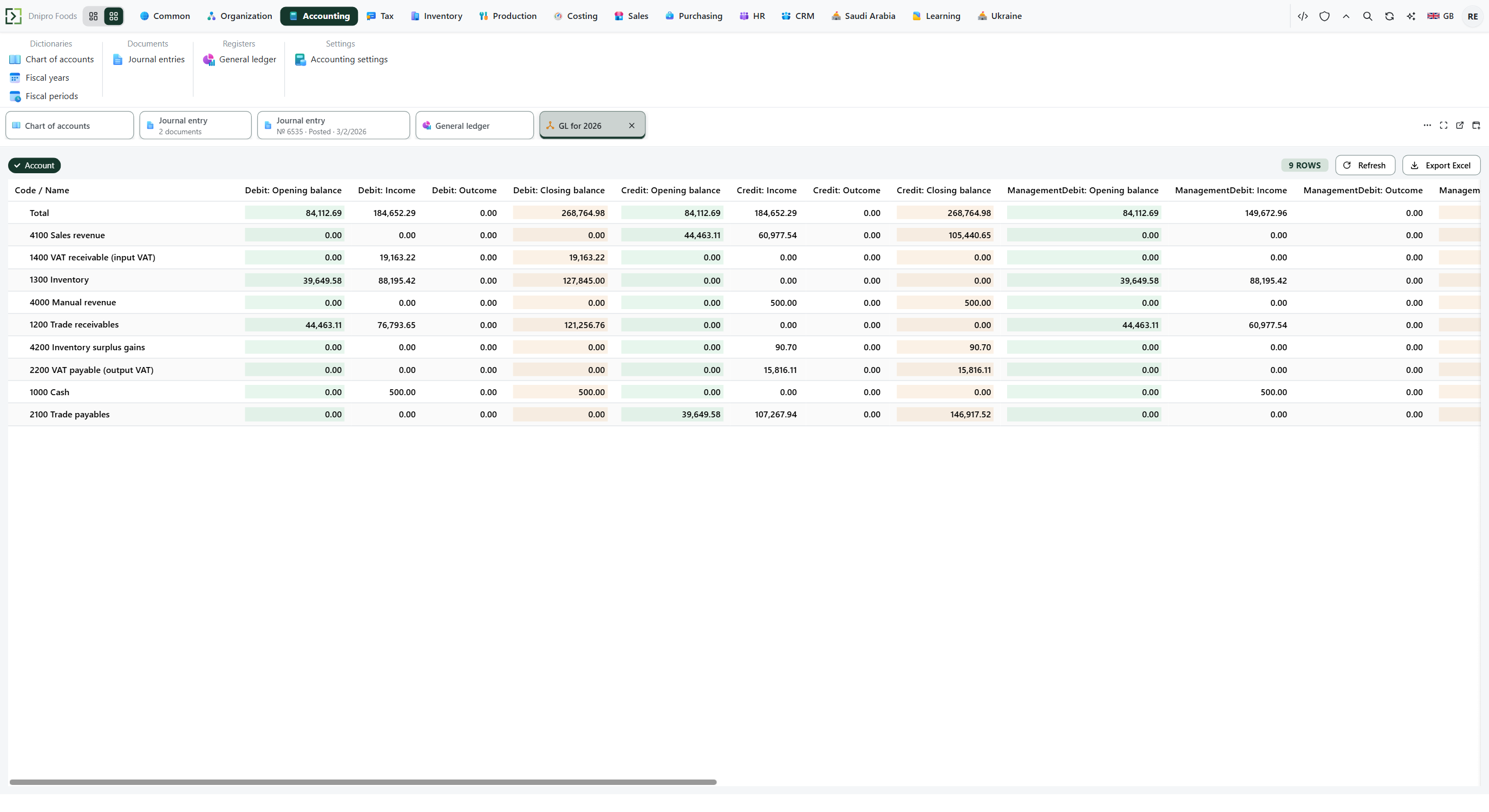 General ledger for 2026, grouped by account. 1000 Cash shows debit income 500.00 and debit closing 500.00. 4000 Manual revenue shows credit income 500.00 and credit closing 500.00. Management debit and management credit on those rows are 500.00. The product is in English.
Example
You correct cash and revenue by 100. On one line Debit 100. On the other Credit 100. Those two sides match: 100 = 100.
Draft writes nothing. After Post journal entry, the ledger shows two movements of 100.
Debit 100 and credit 60 do not match: 100 ≠ 60. The entry stays Draft. The ledger writes nothing.
Draft After Post journal entry Debit 100, credit 100 no ledger two movements of 100 Debit 100, credit 60 stays Draft nothing posted
Tip
Pick an account with Postable on — Ribbon → Accounting → Dictionaries → Chart of accounts. A group account is refused. The period that covers the date in the card title needs Status
Openunder Ribbon → Accounting → Dictionaries → Fiscal periods. The header Fiscal period is stored on the ledger line; the open-period check uses the document date. Auto-post journal entries on Accounting → Settings → Accounting settings does not post the entry. When Currency matches the legal entity, Exchange rate is 1 and no rate row is required. A foreign amount uses Rate to base from Ribbon → Common → Dictionaries → Exchange rates. Circuits is hidden: empty fills the financial and management amounts and leaves the tax amounts at 0.
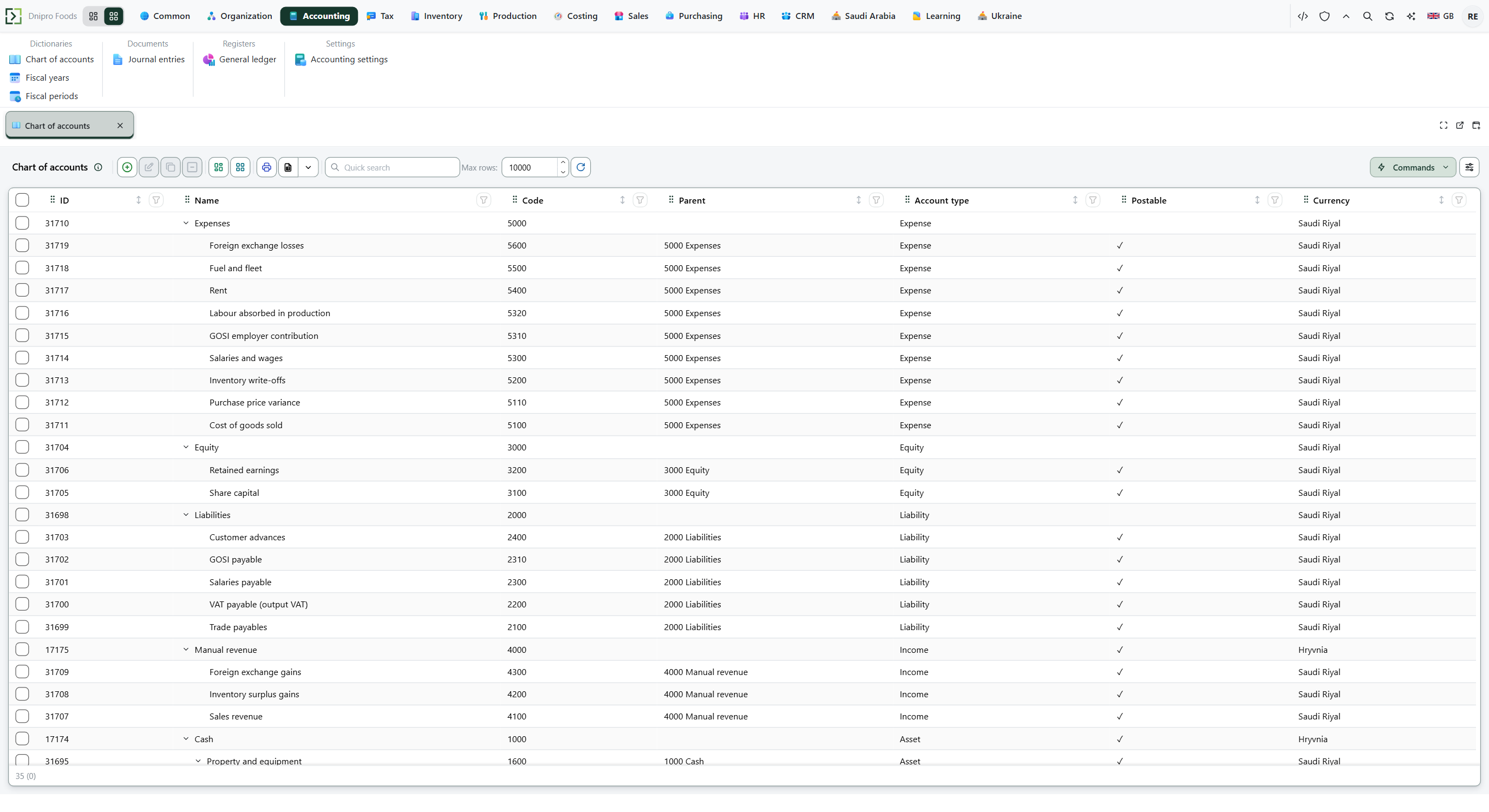 Chart of accounts: the list shows Code, Name, Account type, Postable, and Currency. Leaf rows such as 1000 Cash have Postable checked. The product is in English.
If the command refuses#
| What you see | What to do |
|---|---|
| The command says the journal is empty | Add a line on Lines. The card stays Draft. |
| The command says a line cannot be both debit and credit | Use two lines. One line holds Debit. The other holds Credit. |
| The command says the journal is not balanced | Make the totals equal, Save, and press Post journal entry again. Debit 100 and credit 60 do not match (100 ≠ 60), so the entry stays Draft and writes nothing. |
| The command says there is no accounting period for a date | The date in the sentence is the document date. Add a fiscal period that covers it, with Status Open. |
| The command says the accounting period is closed | Set that period's Status to Open, or use a document date inside an open period. |
| The command says there is no exchange rate for the document currency | Add Rate to base for that date under Ribbon → Common → Dictionaries → Exchange rates, or set Currency to the legal entity's currency. |
| The command says the account is a group and is not postable | Pick an account with Postable on. |
| The ledger did not change after Save | The card is still Draft. Press Post journal entry. |
| Exchange rate is 1 | Currency matches the legal entity's currency. A document currency at Rate to base 45, with the legal entity currency at 1, posts 100 as 100 × 45 = 4,500. |
| You expected customer or supplier debt to change | This document writes the general ledger. Debt stays on the sales realization or purchasing document that recorded it. |
See also